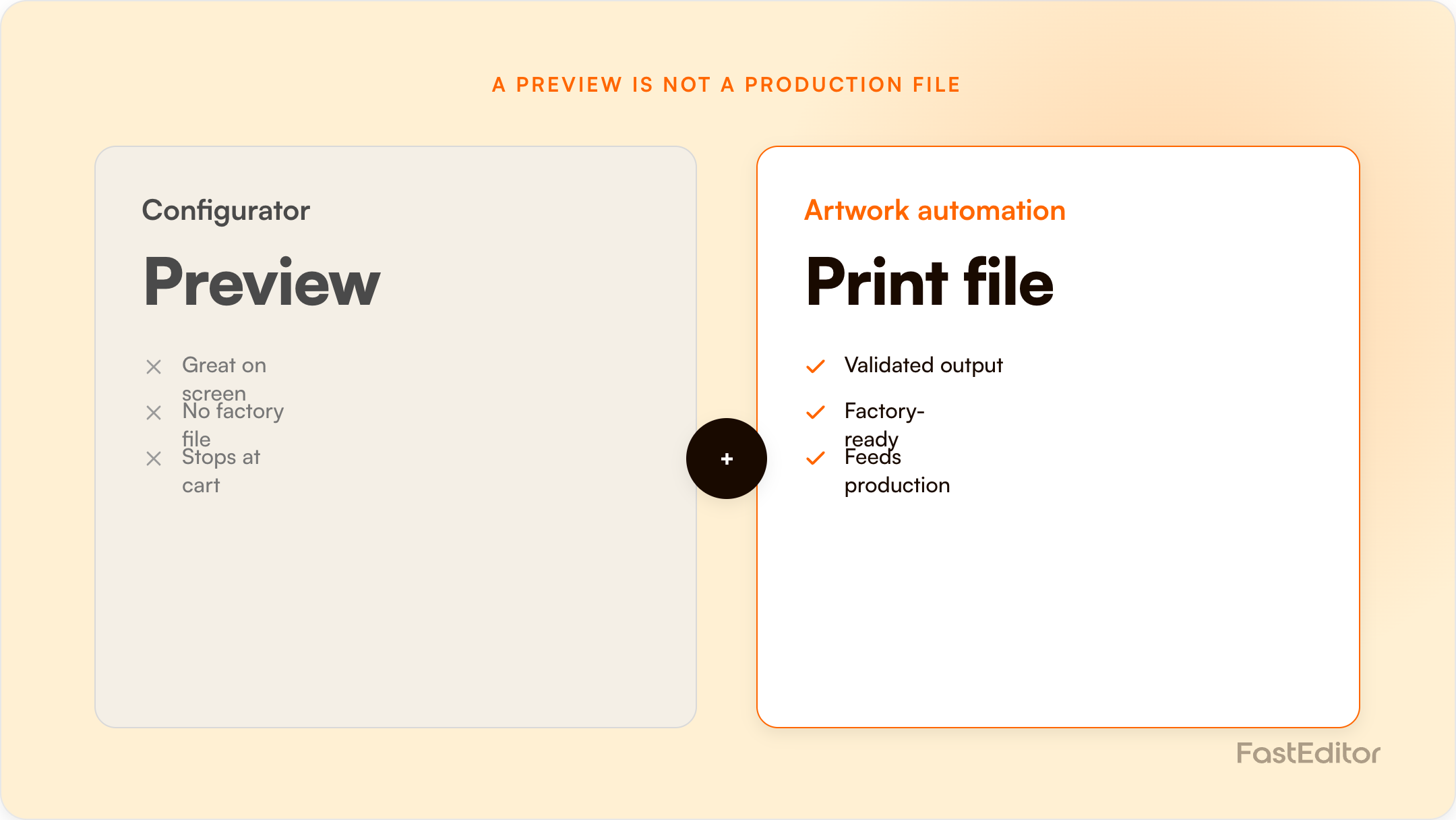
A product configurator is a presentation layer that lets customers preview a logo on a product. Artwork automation is a production layer that turns the uploaded logo into a validated, production-ready file. A configurator sells the order; automation makes it manufacturable. Promo workflows need both, stacked together.
FastEditor platform data: across 13,773 logo uploads analysed, roughly 85% were not print-ready on arrival and 61% needed vectorization. A configurator can show any of those logos on a product. It cannot, on its own, turn them into a file your factory can run. See the Artwork Automation Benchmark 2026.
On this page
Benchmark note: 13,773 logo uploads were analysed in total (19 November 2025 to 31 May 2026). The correction rates quoted here are measured on the stable instrumentation window of 8,664 uploads, March to May 2026. See the full methodology.
A customer opens your store, drops their logo onto a water bottle in a slick 3D configurator, rotates it, picks a cap colour, and checks out. The preview looked perfect. Then the order reaches production, and the artwork is a 400-pixel JPG pulled off a website, in RGB, with a white box around it. The preview made a promise the file cannot keep. This is the gap between a product configurator and artwork automation, and it is one of the most expensive misunderstandings in web-to-print.
The two are constantly confused because they sit next to each other on the same product page. They are not the same thing, they solve different problems, and knowing which one you actually have decides whether your orders flow to production cleanly or stall in manual rework.
A product configurator is a presentation layer. Its job is to let a customer choose options, place a logo, and see a convincing preview, in 2D, 3D, or AR, before they buy. It is a conversion tool, and a good one. The global web-to-print market sits around 24 billion dollars and is projected to reach 30.5 billion by 2030, and configurators are a big reason why: vendors in the category report conversion lifts, higher average order values, and fewer returns once customers can see what they are buying. We have measured the same direction ourselves, as covered in why 3D visualisation increases conversion.
So configurators are valuable. But notice what a configurator is optimised for: the screen. It renders the logo so it looks right to a human eye. That is a completely different requirement from rendering a file a screen-printing mesh, an embroidery machine, or a laser can physically reproduce.
Artwork automation is a production layer. Its job starts where the configurator's ends: it takes the file the customer actually uploaded and makes it manufacturable. That means automated vectorization when the logo is a low-resolution raster, PMS colour matching and colour-mode conversion, line-thickness and minimum-font checks, background removal, and generating the correct production-ready file for the specific decoration method, a stitch file for embroidery, spot-colour separations for screen print, a single-colour vector for engraving. The full picture is in our guide to what artwork automation is.
This is the layer that does the unglamorous work nobody sees and every order depends on. It is also the layer most configurators simply do not have.
Here is the crux. A configurator renders a logo so it looks correct. Production needs a file that is correct, built to the physical rules of the decoration method. A beautiful preview of a bad file is still a bad file. When a configurator pastes a 72-DPI logo onto a 3D mug and the customer approves it, nothing about that approval has fixed the resolution, the colour mode, or the missing vector paths. The problem has just been hidden behind a nicer image, and it surfaces later, in production, where it is most expensive to fix. The same gap applies to placement: unless the editor constrains the design with a print-area mask, the preview can show a logo sitting where the product cannot actually be decorated.
In our benchmark, 85% of real customer uploads needed at least one fix and 61% needed vectorization. A configurator on its own changes none of that. It shows the customer a flattering version of a file that still cannot go to the machine.
| Dimension | Configurator alone | Configurator + artwork automation |
|---|---|---|
| What the customer sees | An accurate, attractive preview | The same preview, built from a validated file |
| What production receives | Whatever the customer uploaded | A production-ready file per method |
| Low-res or RGB upload | Displayed as-is, problem hidden | Upscaled, vectorized, colour-corrected |
| Spot / PMS colour | Approximated on screen | Matched to the correct PMS value |
| Decoration-method rules | Generic overlay | Method-specific output and checks |
| Time to a usable file | Manual rework after the order | Median 53 seconds, automatic |
| Where problems surface | In production, late and costly | Before checkout, fixed automatically |
The configurator market itself is starting to admit this. Buyer guides now warn that the best tool is not only about what the shopper sees on the product page, but about what happens after the order is placed: the structured data, the production file, the handoff to manufacturing. Many configurators output "a print-ready PDF" that is really just a pass-through of whatever the customer supplied, wrapped in a template. That is fine until the input is bad, which our data says it is 85% of the time.
This is also why building your own configurator rarely solves the artwork problem: you can build the prettiest preview in the world and still have no production layer underneath it. If you are weighing tools, our web-to-print buyer's guide and our Zakeke alternatives comparison both come back to the same question, what does the system give production, not just the shopper.
To be manufacturable, a file usually needs all of the following, and a preview guarantees none of them: vector paths where the method demands them; the correct colour mode and matched spot colours; a minimum line thickness and font size so detail survives the process; sufficient resolution for raster methods; and method-specific output, which for embroidery means a digitized stitch file entirely unlike a print file. The rules differ per method, as set out in decoration techniques explained, and turning one messy upload into the right output for each is exactly the job of fixing low-quality customer logos automatically.
You do not choose between a configurator and artwork automation. You stack them. The configurator sits on top and wins the sale; artwork automation sits underneath and makes the sale manufacturable. In the FastEditor model, the customer's upload is validated and corrected the moment it lands, the preview is rendered from that corrected file against 563,981 ready configurations in the Product Hub, and the file the customer approves on screen is the same file production receives. The preview stops being a promise and becomes a guarantee. Whether that stacked architecture reaches only one storefront or every channel you sell through comes down to another distinction entirely: see what API-first actually means for a product configurator.
See the production layer in action. Our production-ready file generation and automated vectorization pages show how one upload becomes a manufacturable file per decoration method, in seconds.
No. A configurator is a presentation layer that lets customers preview and customise a product before buying. Artwork automation is a production layer that turns the uploaded logo into a validated, production-ready file. They solve different problems and work best stacked together.
Not necessarily. Many configurators output a PDF that simply passes through whatever the customer uploaded. If the input was a low-resolution or RGB file, the output is not truly print-ready. Only an artwork automation layer validates, vectorizes, and corrects the file.
Yes, but you inherit the file problem. Our benchmark of 13,773 uploads found 85% needed at least one fix before production. Without an automation layer, those fixes fall back to manual prepress work after the order.
Yes. The configurator converts the shopper by removing doubt, and artwork automation makes the resulting order manufacturable without manual rework. One without the other either loses sales or creates production bottlenecks.
If you are actively comparing vendors, we keep honest side-by-side write-ups of the main alternatives: Zakeke, Customily, Printess, Kickflip, ImprintNext and Design'N'Buy / PrintXpand, or browse them all in Comparisons.
For a concrete example on one platform, see Shopify product personalization that outputs print-ready files.
More articles in Artwork Automation.
