Customers upload a logo or photo and instantly see it on a tote bag, from multiple angles, in their chosen colour. Automated vectorisation, colour checks, and production file generation. No manual artwork handling required.

Logo & Photo Uploads. Tote bags serve both B2B and consumer markets. FastEditor handles logo uploads, with automatic vectorisation and colour separation, and photo uploads with quality optimisation. Both flows lead to the same outcome: a production-ready file, generated automatically.
Real-Time Visualisation. Customers see their artwork applied to the tote bag in real time, front and back, in the selected colour. The preview updates instantly when the design is repositioned or a different bag colour is selected. What they approve is exactly what gets printed.
Automatic Quality Checks. Every uploaded file is checked before it reaches production. Logos are vectorised and colour-separated automatically. Photos are resolution-checked and enhanced where needed. Colour profiles are converted for the correct print technique. Production files go out correct, every time.
Tote bags are printed using a range of techniques, screen printing, DTG, embroidery, and sublimation. Each technique has its own file requirements. FastEditor applies the correct output format automatically based on the technique configured for each product in the Product Hub.
Resellers don't need to manage different file types per technique. The system handles it, colour separations for screen print, stitch files for embroidery, full-colour RGB for DTG. The right file is generated, every time.

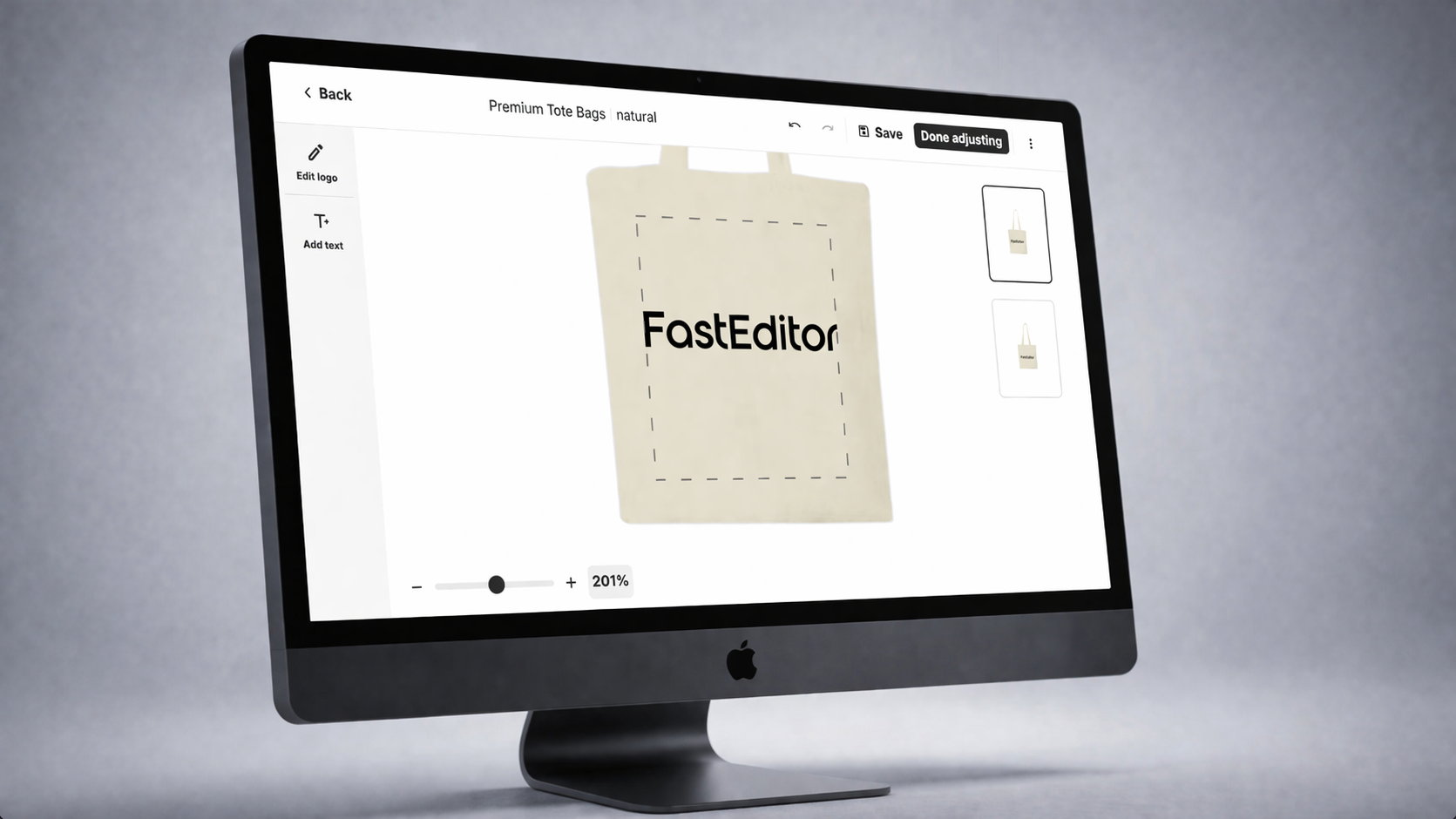
The tote bag flow includes a real-time design canvas. Customers position their artwork within the print area, dragging, scaling, and centring, and see exactly how it will look on the finished bag. The print area boundaries are enforced automatically. Artwork cannot be placed outside the producible zone.
Front and back areas can both be designed in the same flow. The proof assembles all active print areas and presents it for approval before the order is submitted.
Once the customer approves the proof, FastEditor generates the production file instantly. Vectorisation, colour separation, format conversion, all handled automatically. The file that arrives at your print facility is correct, complete, and ready to print.
No email threads. No manual DTP. No reprints because someone missed a spec. Just orders going straight to production.

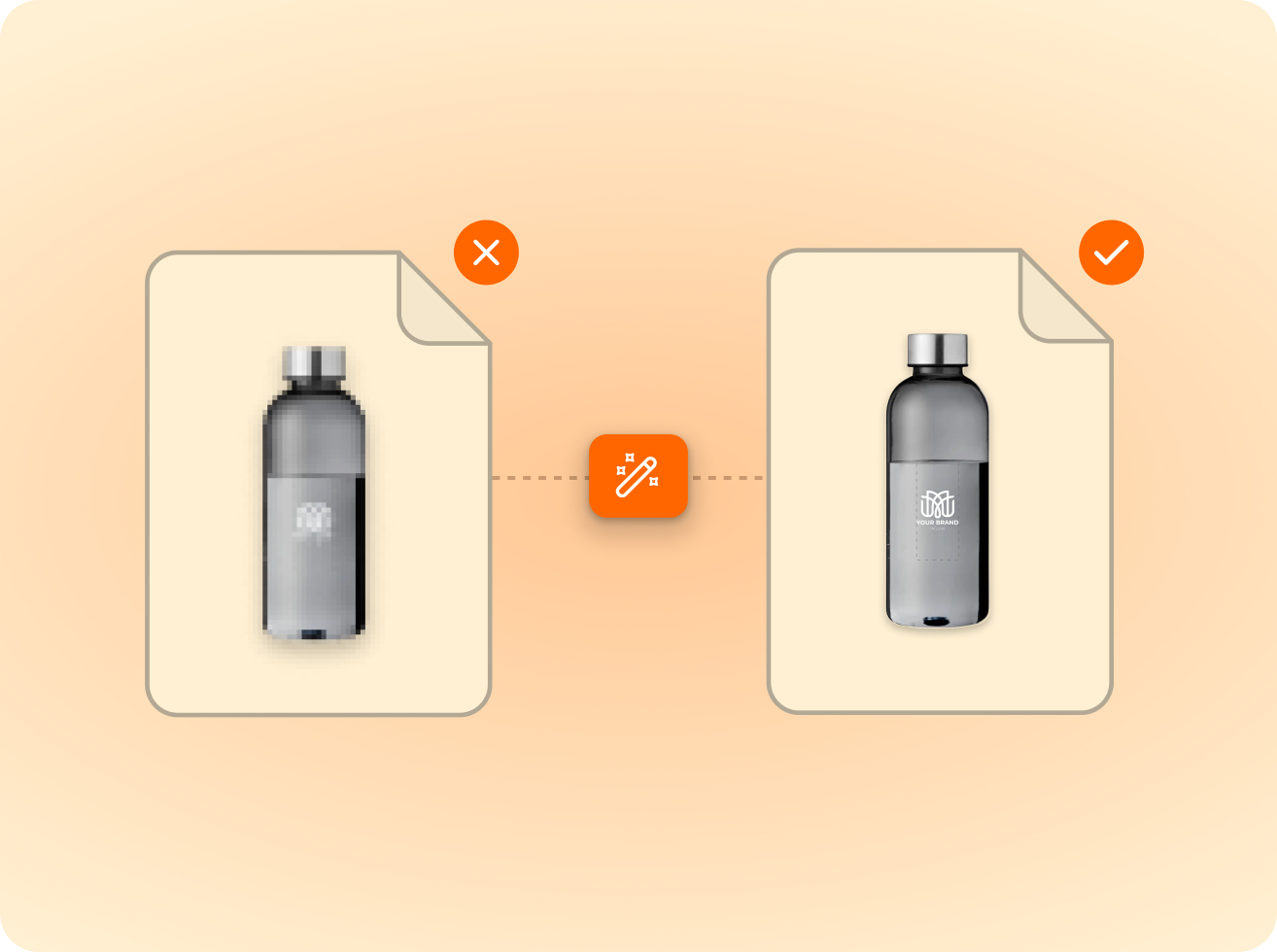
of the logos customers upload are not print-ready as supplied. FastEditor corrects them automatically before they reach production.
Measured across 13,773 uploads, November 2025 to May 2026
FastEditor supports screen printing, direct-to-garment (DTG), embroidery, and sublimation for tote bags. The correct production file format is generated automatically based on the technique configured for each product in the Product Hub. No manual file conversion is required.
Yes. The tote bag flow supports multiple print areas within a single ordering experience. Customers design the front and back sequentially, and the final proof combines all active print areas before approval. Each area outputs a separate production file.
Logo uploads are automatically vectorised, colour-separated, and, where required, cleaned of white backgrounds. Photo uploads are resolution-checked, enhanced where possible, and output in the correct colour mode for the selected print technique. Both flows converge at the same proof approval and production file output stage.
Yes. When a reseller has configured multiple colour variants for a tote bag product, customers can switch between colours and the preview updates in real time, showing the artwork on the selected colour. The production file is then generated for the approved colour variant.
The standard FastEditor integration goes live in 3 to 4 weeks. Tote bag products are configured in the Product Hub during onboarding, including print areas, technique settings, and colour variants. No custom development is required.
Instant. Proof approval triggers automatic production file generation. Vectorisation, colour separation, and format conversion all run without manual intervention. The production-ready file is available the moment the customer approves.
Instant. Proof approval triggers automatic production file generation. Vectorisation, colour separation, and format conversion all run without manual intervention. The production-ready file is available the moment the customer approves.
Minimum resolution requirements are set per product in the Product Hub based on print area dimensions and technique. FastEditor checks resolution on upload and prevents orders from being placed if the image cannot meet print quality standards for any available size.
Same pipeline, different print area.











.png)