
Book a demo
Connected supplier

Automate artwork for Makito products

Makito is a high-volume European supplier offering an extensive range of promotional items and gadgets based in Spain.
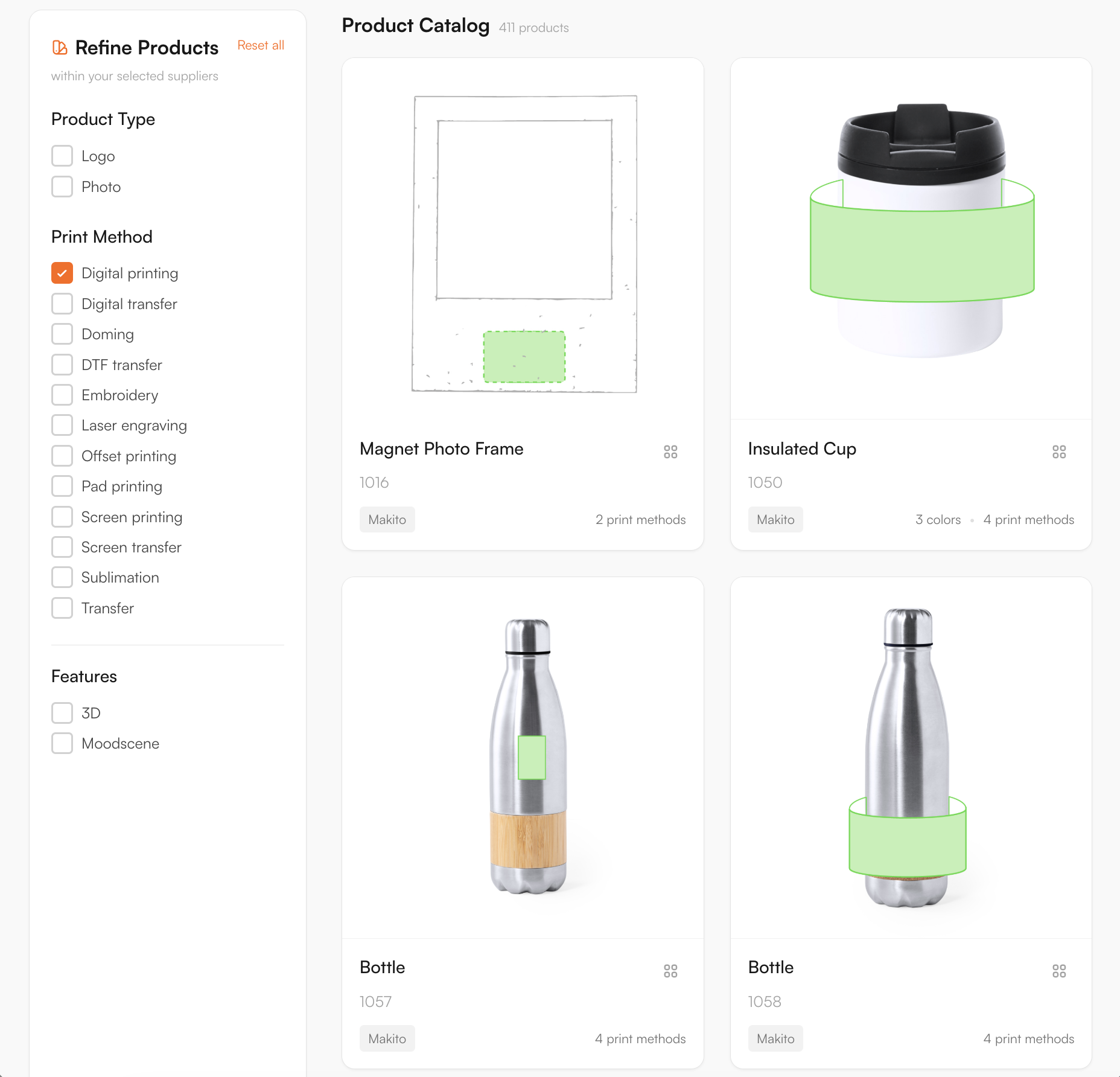
Makito catalogue in the FastEditor Product Hub
3485
Products live
Spain
Headquarters
Daily
Catalogue sync
Direct API
Integration
Onboarded
Status

Overview

Makito is a high-volume Spanish supplier with one of the broadest promotional ranges in Europe — apparel, drinkware, bags, office, technology, outdoor and gadgets. For a reseller, that scale is the draw and the challenge: thousands of products, each with its own print areas, decoration methods and file requirements.

FastEditor connects to Makito by API, with 3,485 products live and synced daily. A customer uploads their logo on your product page, and the file that reaches production is already vectorized, validated against Makito's specifications for that product and method, and ready to print. No prepress step, no correction loop.

How the integration works

The Makito connection is a direct API integration that refreshes every day, backed by a manual enrichment step so print areas and decoration data are checked and corrected rather than taken raw from the feed.

Three things travel with every product:

  • Print areas. The position, size and shape of each decorable area, enriched and verified so the editor constrains a customer's design to what the product can physically take.
  • Decoration methods. Which techniques are available on that specific product, each carrying its own limits on colour count, line weight and resolution.
  • Product data and variants. Colours, sizes and pricing stay in step with Makito's live catalogue through the daily sync.

Decoration methods

Digital printing, Digital transfer, Doming, DTF transfer, Embroidery, Laser engraving, Offset printing, Pad printing, Screen printing, Screen transfer, Sublimation, Transfer

Artwork requirements

Makito's catalogue is the broadest of the four, spanning apparel, drinkware, bags, office, tech and outdoor, which means one uploaded logo can face a dozen different decoration rules depending on the product. FastEditor validates each upload against the specific product and method before a production file is generated.

  • DTF and transfer on textiles. Full-colour art is supported, but the editor checks minimum detail and edge sharpness so small elements survive the transfer.
  • Pad and screen on hard goods. Spot-colour ceilings per position are enforced, and over-colour logos are flagged before production.
  • Laser engraving on metal. Rendered as a single engraved tone and previewed true-to-result rather than in the customer's brand colour.
  • Resolution and formats. JPG, PNG, PDF, AI and EPS all come in; raster is auto-vectorized and measured against the real output size for the chosen product.
  • Colour handling. RGB converts to the method's colour space, with Pantone matching where spot colour is printed.

The checks are built to match Makito's own specifications and are verified through a manual enrichment step, so artwork that passes in the editor is prepared to their production requirements.

How to start selling

  1. Browse the full Makito catalogue. All 3,485 products, from apparel and bags to tech and outdoor, sit in the FastEditor Product Hub with their print areas and methods already mapped.
  2. Pick your route to market. Sell on your webshop through the Logo Editor, or brief orders internally in the Studio Tool. Whichever you choose, each Makito product opens in FastEditor ready to decorate.
  3. Every material gets the right check. A full-colour design headed for DTF on a t-shirt and a single-tone mark headed for laser engraving on a bottle are validated differently, each against Makito's own rules, and previewed true to the finish.
  4. The file lands with Makito, production-ready. On approval FastEditor generates the print-ready file and proof. Because Makito's large catalogue runs through an enrichment step, new ranges go live around two weeks after a feed update.
Book a demo

Logo Editor or Studio Tool?

Two tools, one artwork engine.

Studio Tool

For internal sales & account management teams

✓Browse the catalogue and find any product from the supplier
✓Design it across positions, then download the branded print proof
✓Get production-ready files, no customer order needed
Explore Studio Tool →

Logo Editor

For your webshop

✓Connect to your webshop, linked to the right product by supplier SKU
✓Your customer designs and approves online
✓After the order, you receive the production-ready files
Explore Logo Editor →

Frequently asked questions

How many Makito products are available through FastEditor?

3,485 Makito products are live in the FastEditor Product Hub. The catalogue connects by API and refreshes daily, with a manual enrichment step keeping print areas and decoration data accurate.

Which Makito decoration methods does FastEditor support?

Twelve methods are mapped, including screen printing, pad printing, offset printing, digital printing, embroidery, laser engraving, sublimation, DTF transfer, doming, digital transfer, screen transfer and transfer. Each product carries the methods available for it, with the colour and line-weight limits that method imposes.

Do Makito orders produce a print-ready file automatically?

Yes. After the customer approves the design, FastEditor produces a print-ready file for that Makito product and method: vectorized, checked for line weight, colour count and resolution, and output in the right colour space. Because Makito's catalogue is enriched before publishing, the file lines up with their production requirements.

How quickly do new Makito ranges go live?

Makito is a large, fast-moving catalogue, so new and updated ranges pass through a manual enrichment step on top of the daily API sync before they publish. That keeps print areas and decoration specs accurate at scale, and a new range is usually live about two weeks after a feed update.

Other connected suppliers