
Book a demo
Connected supplier

Automate artwork for XD Connect products

XD Connect is a major European promotional product supplier offering corporate gifts, drinkware, technology accessories, and branded apparel. Based in the Netherlands.
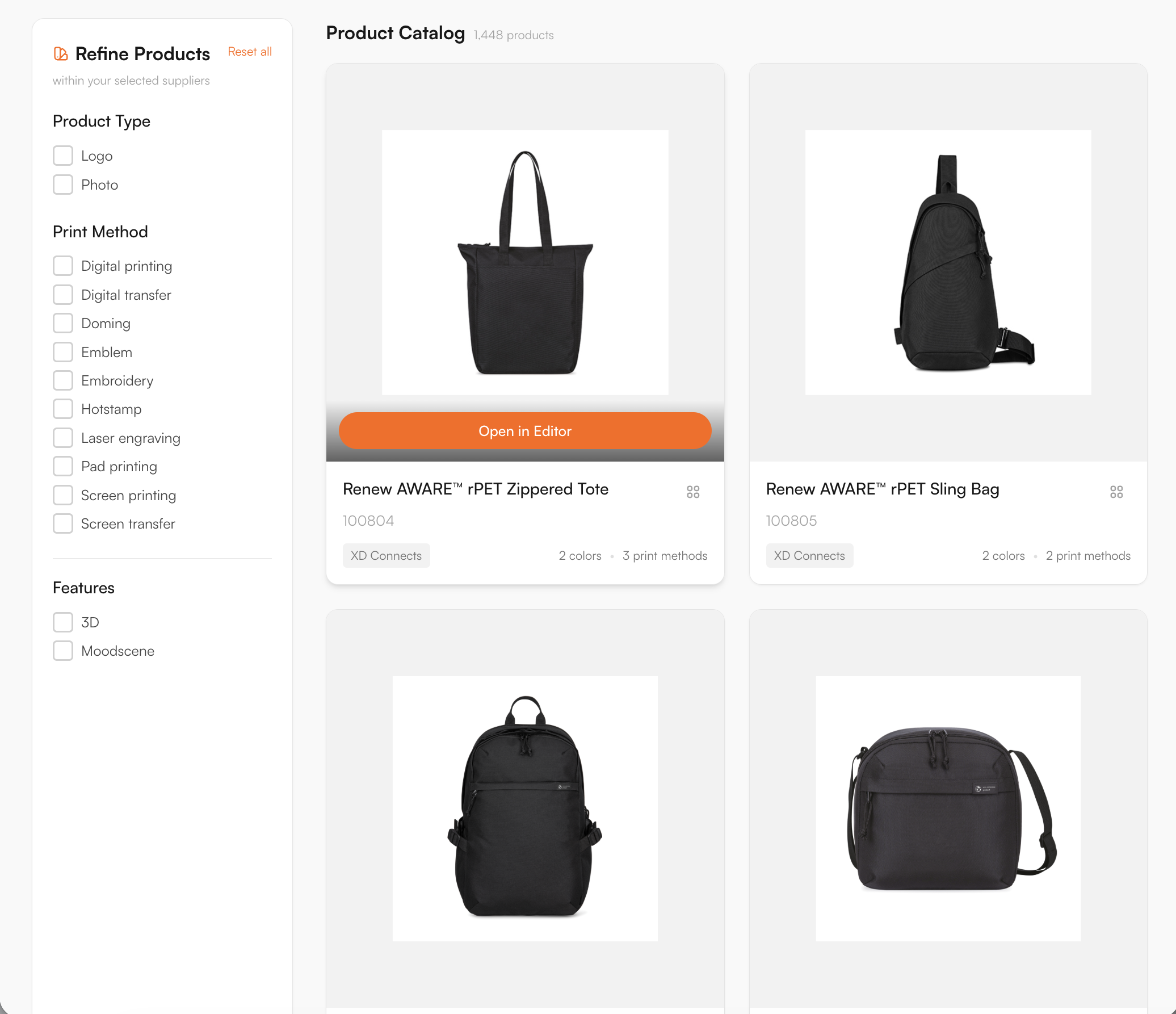
XD Connect catalogue in the FastEditor Product Hub
1448
Products live
Netherlands
Headquarters
Daily
Catalogue sync
Direct API
Integration
Onboarded
Status

Overview

XD Connect is a major European supplier of corporate gifts, drinkware, technology accessories and branded apparel. For a reseller, the appeal is the breadth of the range — and the breadth is also the problem. Every product carries its own print areas, decoration methods and file requirements, and keeping all of that straight by hand is where prepress time disappears.

FastEditor connects to XD Connect directly by API. 1,448 products are live and synced daily, with decoration methods and print areas already attached to every one. A customer uploads their logo on your product page, and the file that reaches production is already vectorized, validated against XD Connect's specifications for that product and method, and ready to print. No prepress step, no correction loop.

How the integration works

The XD Connect connection is a direct API integration, not a periodic file drop. Product data, variants, images and decoration specifications refresh every day, so a range that XD Connect discontinues stops being orderable in your store without anyone touching a spreadsheet.

Three things travel with every product:

  • Print areas. The position, size and shape of each decorable area, so the editor constrains a customer's design to what the product can physically take.
  • Decoration methods. Which techniques are available on that specific product, each carrying its own limits on colour count, line weight and resolution.
  • Product data and variants. Colours, sizes and pricing stay in step with XD Connect's live catalogue through the daily sync.

Decoration methods

Digital printing, Digital transfer, Doming, Emblem, Embroidery, Hotstamp, Laser engraving, Pad printing, Screen printing, Screen transfer

Artwork requirements

XD Connect's range runs from hard tech and drinkware to soft apparel, and each material reacts differently to decoration. FastEditor validates every upload against the rule set for that specific product and method before a production file is generated, so problems surface in the editor rather than on the production floor.

  • Embroidery on apparel and bags. Fine text and thin strokes are checked against a minimum stitchable width, because detail that survives on screen can close up in thread.
  • Pad and screen print on gifts. Each position carries a maximum spot-colour count, so a gradient or a four-colour mark headed for a two-colour pad print is flagged before it ships.
  • Laser engraving on metal drinkware. Engraving ignores brand colour and renders as a single tone, so the editor previews the true engraved result instead of the customer's RGB logo.
  • Resolution and file type. JPG, PNG, PDF, AI or EPS all come in; raster art is measured against the real output size and auto-vectorized into clean paths.
  • Colour handling. RGB converts to the method's colour space, with Pantone matching wherever the method prints spot colour.

The validation rules are built to match XD Connect's own decoration specifications, so artwork that clears the editor is prepared to their requirements.

How to start selling

  1. Start from the connected catalogue. Every XD Connect product in the FastEditor Product Hub already carries its print areas, decoration methods and specs, so there is nothing to set up on your side.
  2. Choose how you sell. Put products on your webshop with the Logo Editor so customers personalise them themselves, or keep them in the Studio Tool for your sales and account teams. Either way the product opens in the FastEditor editor with XD Connect's print areas built in.
  3. The design happens in FastEditor. A logo drops onto the product inside the real decoration area, is checked against XD Connect's colour and line-weight rules, and is previewed in place before anyone commits.
  4. A production file goes back to XD Connect. On approval, FastEditor generates the print-ready file and a branded proof matched to XD Connect's spec, ready to send straight to production.
Book a demo

Logo Editor or Studio Tool?

Two tools, one artwork engine.

Studio Tool

For internal sales & account management teams

✓Browse the catalogue and find any product from the supplier
✓Design it across positions, then download the branded print proof
✓Get production-ready files, no customer order needed
Explore Studio Tool →

Logo Editor

For your webshop

✓Connect to your webshop, linked to the right product by supplier SKU
✓Your customer designs and approves online
✓After the order, you receive the production-ready files
Explore Logo Editor →

Frequently asked questions

How many XD Connect products are available through FastEditor?

1,448 XD Connect products are live in the FastEditor Product Hub. The catalogue connects by direct API and refreshes daily, so availability and specifications stay current without manual updates.

Which XD Connect decoration methods does FastEditor support?

Ten methods are mapped, including screen printing, pad printing, embroidery, laser engraving, digital printing, digital transfer, doming, emblem, hotstamp and screen transfer. Each product carries the methods available for it, with the colour and line-weight limits that method imposes.

Do XD Connect orders produce a print-ready file automatically?

Yes. When the customer approves their design, FastEditor outputs a production file matched to that exact XD Connect product and method: vectorized, checked for line weight, spot-colour count and resolution, and written in the colour space the decoration needs. It is the file XD Connect's production expects, with no prepress pass in between.

How does the XD Connect catalogue stay up to date?

The integration is a direct API connection that syncs daily. New products, discontinued ranges and changes to variants or decoration specifications flow through automatically, so what customers see and order always matches XD Connect's live catalogue.

Other connected suppliers