Book a demo
Connected supplier

Automate artwork for Giving Europe products

Giving Europe is a European promotional products wholesaler with a broad catalogue of gifts, drinkware, bags, and writing instruments. Based in the Netherlands.
Supplier product shown in the FastEditor editor
1107
Product groups
Netherlands
Headquarters
Daily
Catalogue sync
Direct API
Integration
Onboarded
Status

Overview

Giving Europe is a European promotional products wholesaler with a broad catalogue of gifts, drinkware, bags, writing instruments and lifestyle items. For a reseller, the range is well-suited to online personalisation, but each product still carries its own print areas, decoration methods and file requirements.

FastEditor connects to Giving Europe by API, with 1,107 products live and synced daily. FastEditor prepares customer artwork using the selected product’s configured print area, decoration technique and supplier requirements. Raster logos are vectorized when the technique requires vector output. The editor applies automatic improvements and guides customers through any artwork issues. After the customer places an order, the webshop’s Sale Notification triggers the configured production file and proof, without a separate manual prepress step.

How the integration works

The Giving Europe connection is a direct API integration, not a periodic file drop. Product data, variants, images and decoration specifications refresh every day, so when Giving Europe changes or discontinues a range, that update is available through the feed without anyone touching a spreadsheet. How discontinued items behave in your storefront depends on your webshop setup.

Three things travel with every product:

  • Print areas. The position, size and shape of each decorable area, so the editor constrains a customer's design to what the product can physically take.
  • Decoration methods. Which techniques are available on that specific product, each carrying its own limits on colour count, line weight and resolution.
  • Product data and variants. Colours, sizes and pricing stay in step with Giving Europe's live catalogue through the daily sync.

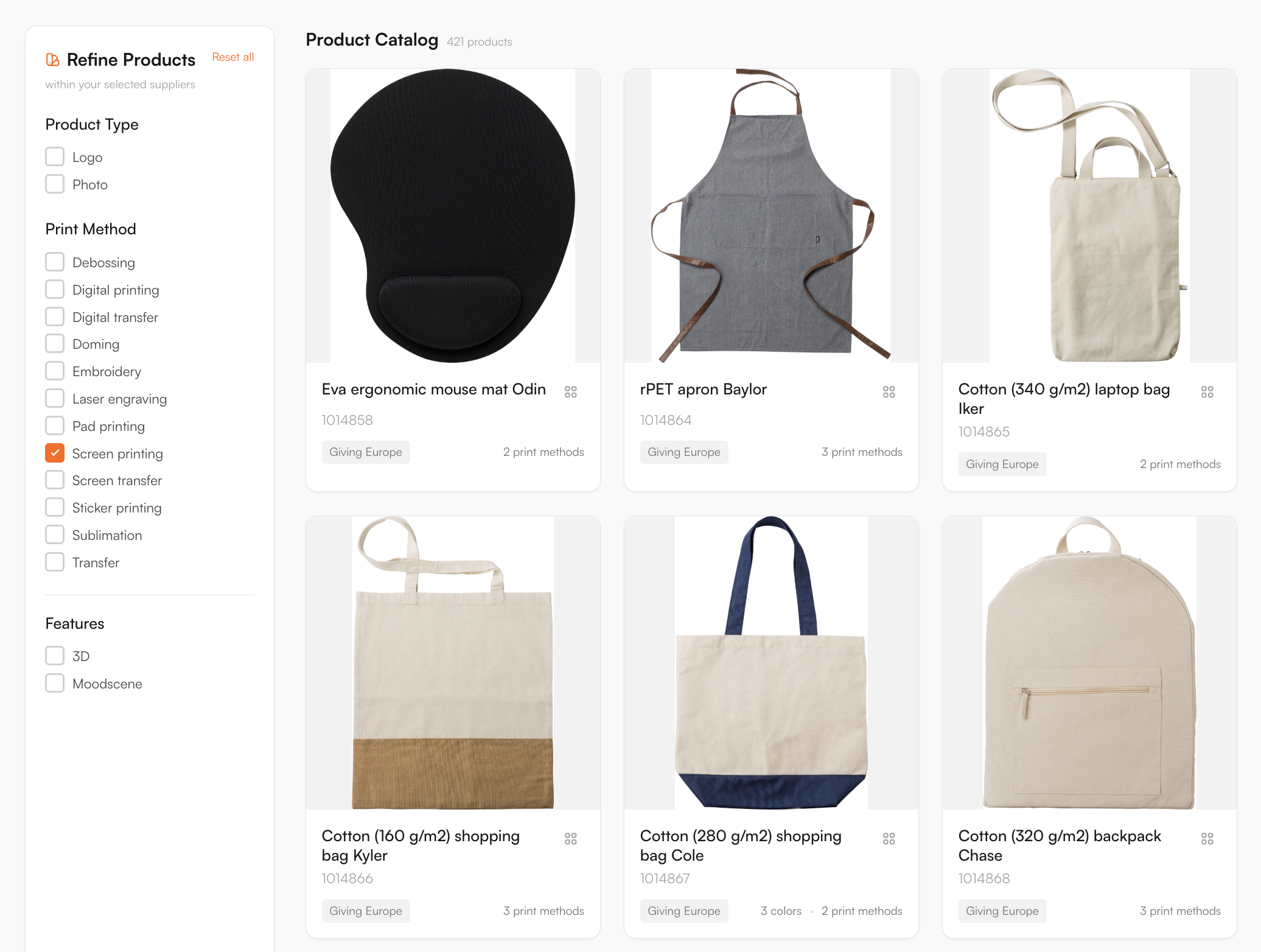
Browse the full range in Product Hub

Every product, with print positions and decoration methods attached, ready to drop into your webshop.

Supplier catalogue in the FastEditor Product Hub

Decoration methods

Debossing, Digital printing, Digital transfer, Doming, Embroidery, Laser engraving, Pad printing, Screen printing, Screen transfer, Sticker printing, Sublimation, Transfer

Artwork requirements

Giving Europe leans toward gifts, drinkware, bags and lifestyle items, a mix that spans printed, engraved and embossed finishes. FastEditor validates each upload against the exact product and method before a production file is generated, so a logo is checked against the finish it will actually receive.

  • Debossing and doming. These shape or seal the mark rather than print it, so the editor checks that fine detail holds up once the finish is applied.
  • Screen and pad print. Each position carries a spot-colour limit, so a gradient or an over-colour logo is flagged before it reaches production.
  • Engraving and sublimation. Previewed as the method renders them, not as the customer's on-screen RGB, so expectations match the result.
  • Formats and resolution. JPG, PNG, PDF, AI and EPS are accepted; raster art is vectorized automatically when vector output is required for the selected decoration technique and measured against the real print size. When vector output is not required, vectorization may be recommended to improve quality but is optional.
  • Colour conversion. RGB maps to the method's colour space, with Pantone matching where spot colour applies.

The validation rules are built to match Giving Europe's own specifications, so artwork that clears the editor is prepared to their requirements.

How to start selling

  1. Choose from the connected Giving Europe range. Gifts, drinkware, bags and lifestyle items are already in the FastEditor Product Hub with print areas and finishes attached. Product configuration is already done. To start in Studio Tool, create an account and choose a plan; the Starter plan includes a 30-day free trial. For Logo Editor, activate a FastEditor license and complete the webshop integration setup.
  2. Put them where you sell. Add products to your webshop with the Logo Editor for customer self-service, or design internally in the Studio Tool. Each opens in FastEditor with Giving Europe's decoration areas built in.
  3. Printed, engraved or embossed, the editor knows the difference. A logo bound for a debossed finish is checked differently from one being screen printed, each against Giving Europe's spec, and previewed as it will actually appear on the product.
  4. Generate the proof and production file. In Studio Tool, use Download to generate the files for the selected product and decoration technique. In Logo Editor, the webshop sends a Sale Notification after the customer places the order to trigger file generation. The proof and production file follow the selected supplier configuration.
Book a demo

Logo Editor or Studio Tool?

Two tools, one artwork engine.

Studio Tool

For internal sales & account management teams

✓Browse the catalogue and find any product from the supplier
✓Design it across positions, then download the branded print proof
✓Get production-ready files, no customer order needed
Explore Studio Tool →

Logo Editor

For your webshop

✓Connect to your webshop, linked to the right product by supplier SKU
✓Your customer designs and approves online
✓After the order, you receive the production-ready files
Explore Logo Editor →

Frequently asked questions

How many Giving Europe products are available through FastEditor?

1,107 Giving Europe products are live in the FastEditor Product Hub. The catalogue connects by direct API and refreshes daily, so availability and specifications stay current without manual updates.

Which Giving Europe decoration methods does FastEditor support?

Twelve methods are mapped, including screen printing, pad printing, embroidery, laser engraving, digital printing, sublimation, debossing, doming, digital transfer, screen transfer, sticker printing and transfer. Each product carries the methods available for it, with the colour and line-weight limits that method imposes.

Do Giving Europe orders produce a print-ready file automatically?

Yes. FastEditor generates a proof and a production file using the selected product and decoration technique’s configured supplier specifications. Raster logos are vectorized automatically when vector output is required; otherwise vectorization may be recommended and is optional. In Studio Tool, generate the files with Download. In Logo Editor, the webshop sends a Sale Notification after the customer places the order to trigger file generation. The production format depends on the configuration and can be JPG, PNG, PDF or SVG. Embroidery DST output is currently in testing and is not yet available.

How does the Giving Europe catalogue stay up to date?

Giving Europe connects by direct API with a daily sync, so new products and discontinued ranges update automatically and specifications stay current. There is no spreadsheet to maintain and no manual re-import.