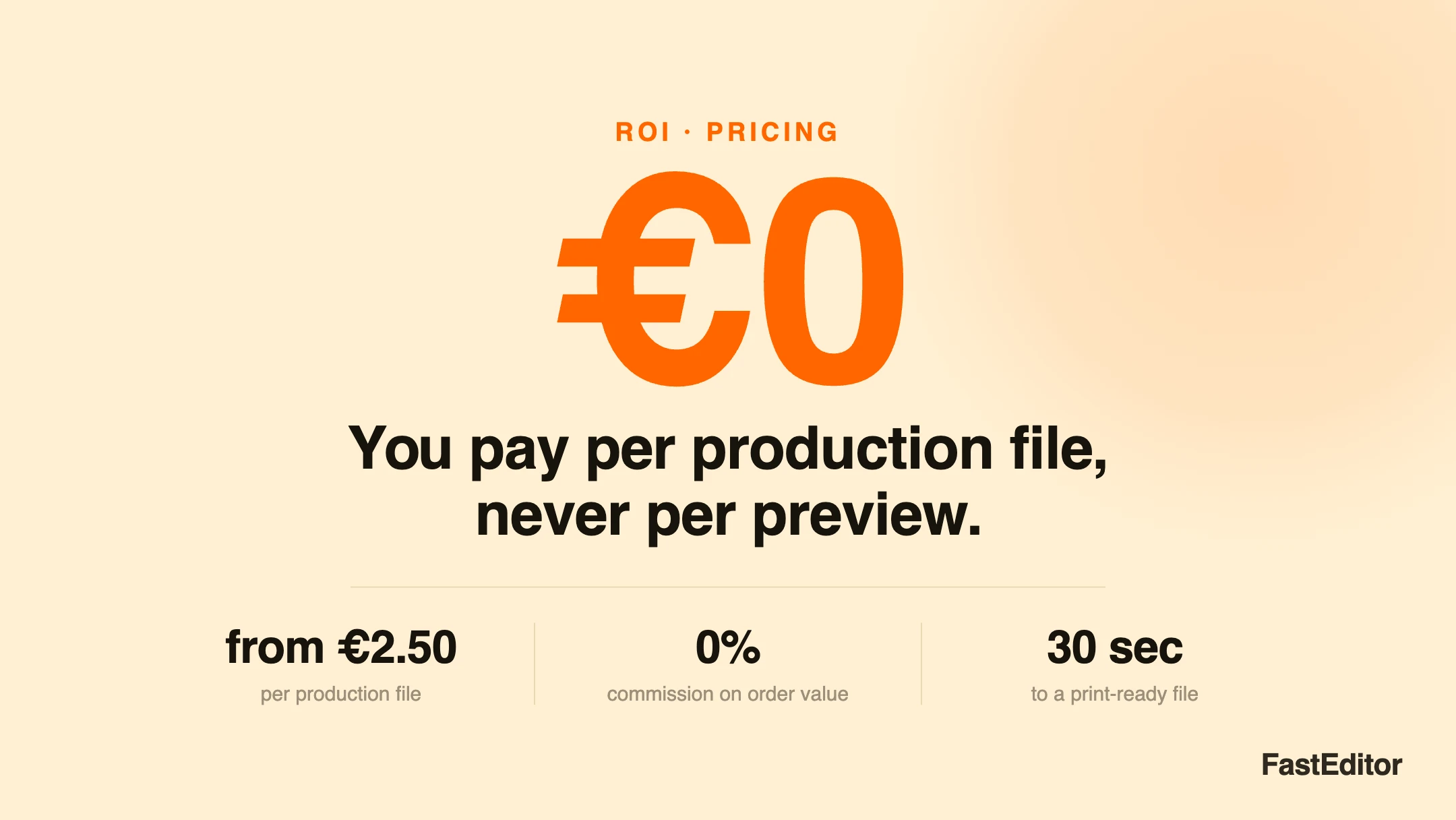
Good artwork automation is priced per production file, not per preview, from about €2.50 per file. Designs, previews, proofs, and revisions should be free; you pay once when a print-ready file is generated. Avoid commission-on-order-value models. To model your cost, multiply your converting orders by the per-file rate and add the plan fee.
You are building the cost model for a new personalized-products line, and one question stops you cold. If a customer opens the editor, tries four logo placements, asks for two revisions, and only then places the order, how many of those steps land on your invoice? Priced badly, artwork automation feels like a taxi meter running through the entire design phase. Priced well, it charges you once, at the only moment that matters. Here is how to tell the two apart before you sign anything.
On this page
Whether a vendor calls it web-to-print pricing, product configurator pricing, or artwork automation pricing, the headline rate is the easy part, and FastEditor and every serious vendor will show it to you. The part that decides your monthly cost is quieter: the billing trigger, the single event that turns usage into a line on your invoice. Get that clear and the rest of the pricing conversation becomes simple.
Buyers usually ask "how much per month?" when the sharper question is "what exactly do I pay for, and when?" In a well-designed model the answer is a single event: the moment a production-ready file is generated for an order that is going ahead. Everything before that point, the uploads, the placements, the previews, the proofs, the revisions, is part of helping the customer decide, and charging for it would tax the very behaviour that leads to a sale. So the first thing to establish with any vendor is whether the meter runs during the design phase or only at the finish line.
Artwork automation is sold on a handful of models, and they are not equivalent. The differences show up not on a quiet month but on your best month, when volume, order values, or iteration all spike at once.
| Model | How you are charged | Predictability | Watch out for |
|---|---|---|---|
| Per production file | A fixed fee each time a print-ready file is generated; previews and revisions are free | High. Cost scales with output, not activity | Confirm what the vendor counts as one file |
| Percentage of order value | A commission on every personalized order | Low. Cost rises with your prices, not your workload | You pay more for selling higher-value goods, for identical work |
| Per preview or per render | A charge for each preview, proof, or 3D render | Low. Cost tracks indecision, not orders | It punishes iteration, the opposite of what you want |
| Flat subscription only | One monthly fee, usage included | High at volume, poor at low volume | Overpaying when you are small, or hidden usage caps |
| Per seat or per designer | A fee for each internal user | Medium | The wrong unit: automation should remove designers, not meter them |
The two models that align a vendor's incentives with yours are per production file and, at high and steady volume, a flat subscription. The per-file model is the cleanest, because the thing you pay for, a finished file, is the thing that only exists when an order is real. Commission and per-preview models both break that link: one charges you for pricing power you built yourself, the other charges you for the customer thinking.
In practice, many product configurator and web-to-print vendors default to a flat subscription or a percentage of order value, so the model is worth checking tool by tool. Our comparisons of the Zakeke, Customily, and Printess alternatives show how each structures its fees, with more in Comparisons.
The design phase is where personalized commerce is won. Customers who can place a logo, switch a colour, see it in real-time 3D, and change their mind twice more are customers who convert, and higher on-site conversion is one of the measurable effects of putting the editor in front of them.
A pricing model that meters previews works directly against this. It gives you a reason to limit iterations, hide the editor, or push customers to just email you the logo, which drags you straight back into the manual queue that costs €30 to €50 per order to run. Free previews are not generosity. They are the vendor keeping their incentive pointed at your conversion rate rather than against it. When a customer asks for a fifth revision, that should cost you nothing and worry you not at all.
If you pay per file, the definition of a file is the whole ballgame, so pin it down. A production file is the print-ready output an order needs to reach the machine: vectorized, colour-correct, checked against the decoration method's minimum line thickness and other preflight rules and your supplier's specs in the Product Hub, and packaged for production. Ask three questions. Does one order that uses two decoration methods, say a screen print and an embroidery, count as one file or two? Is a reprint of an already-generated file billed again, or is it free? And if a customer generates a file, then changes the design and regenerates, is that one charge or two? Reasonable vendors treat a reprint of the same file as free and count a genuinely new print-ready output as a new file. Get the answers in writing, because at a few thousand orders a year the definition, not the headline rate, is what moves your bill.
You can estimate your cost in four numbers, and none of them is the sticker price.
Your monthly cost is then simply the plan fee plus the file count times the per-file rate. Set that number against what the same work costs by hand: manual artwork handling runs €30 to €50 per order, and about 85% of uploaded logos are not production-ready, so most of those orders carry real designer time. The gap between the two is your saving, and you can size it for your own volumes with the ROI calculator or read the full manual versus automated comparison.
To make the model concrete, here is how FastEditor prices it, using current list prices at the time of writing (see the pricing page for the live figures). There is one plan fee, one charge per production file, and no commission on order value. Designs, previews, proofs, 3D renders, and reprints are never billed.
What you pay, and what you never pay
Per production file
from €2.50
charged once, when the print-ready file is generated
Commission on order value
€0
you keep 100% of every sale
Previews, proofs, revisions
€0
unlimited on every plan
Time to a print-ready file
30 sec
no designer in the loop
The plan you choose sets the integration depth, the branding, and your per-file rate:
| Plan | Monthly fee | Per production file | Best for |
|---|---|---|---|
| Connect | €95 | €4.00 | Plug-and-play with Promidata, Shopify, or WooCommerce |
| Build | €495 | €3.00 | Full API access on any platform |
| Own | €2,495 | €2.50 | White-label infrastructure on your own domain |
Setup is free on Connect and starts at €1,950 on Build and Own, scoped up front. All prices exclude VAT and are shown in euros. Because the per-file rate falls as the plan fee rises, the plans cross over at volume. The table below works the monthly total for three volumes:
| Production files / month | Connect (€95 + €4.00) | Build (€495 + €3.00) | Own (€2,495 + €2.50) |
|---|---|---|---|
| 100 files | €495 | €795 | €2,745 |
| 300 files | €1,295 | €1,395 | €3,245 |
| 600 files | €2,495 | €2,295 | €3,995 |
Connect is cheaper below roughly 400 files a month, Build wins above it, and Own earns its higher fee through branding and unlimited connected webshops rather than the per-file rate alone. So the model rewards you for matching the plan to your volume and integration needs, not for buying the biggest tier.
Put against the manual alternative, one production file costs less than the design time it removes: an illustrative 15 minutes of DTP work sits near €12 per product, versus €4.00 for a Connect file the Studio Tool delivers in about 30 seconds. Across FastEditor partners that shows up as roughly 80% lower cost per order and a measured 460% ROI after 18 months.
Whoever you are evaluating, the same short list separates a clean model from a costly one:
If previews are free, order value is yours, and a file is defined plainly, you have a model that scales with your business instead of against it.
See your own payback
Put your order volume into the ROI calculator for a net annual figure, or see the full breakdown on the pricing page.
More articles in ROI & Business Case.
With a well-designed vendor, no. Previews, proofs, 3D renders, and revisions should be free, and you should be charged only when a production-ready file is generated for a real order. If a provider meters previews or renders, it is charging you for the design phase, which discourages the iteration that drives conversion.
The single print-ready output that goes to the machine after a design is approved, already vectorized and colour-correct. The detail that matters for billing is the edge cases: ask whether a two-technique order counts as one file or two, and whether reprints of an unchanged file are free.
Per-file pricing aligns cost with work: the same logo takes the same effort whether the product sells for €5 or €500. Percentage-of-order pricing charges you more for selling higher-value goods despite identical work, so your cost rises with your success rather than your volume.
Estimate your converting personalized orders per month, multiply by the per-file rate, and add the fixed plan fee. Because previews are free, model files against orders that actually close, not against quotes or proofs. Compare the total to the €30 to €50 per order that manual handling costs.
No. FastEditor charges a monthly plan fee plus one fee per production file, with zero commission on order value and no charge for previews, proofs, or reprints. You keep 100% of every sale. See the pricing page for current figures.
Pricing figures cited here are FastEditor list prices at the time of writing and exclude VAT. See the pricing page for the current rates.
