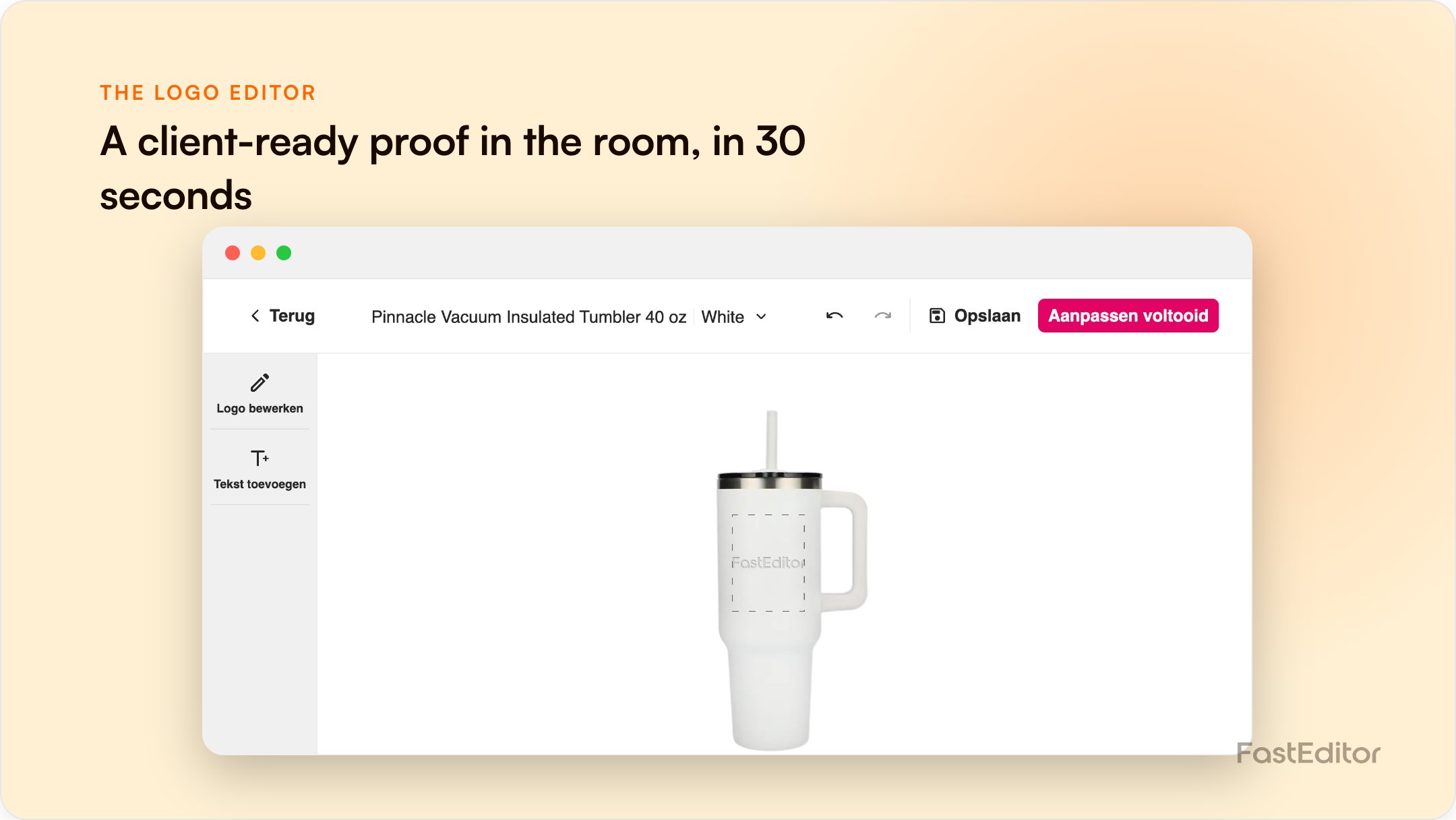
A web-to-print logo editor is usually treated as an online checkout tool, but its biggest untapped use is offline selling. When a rep shows a buyer their own logo on the actual product in real time, doubt disappears and the deal closes faster. The same engine that converts shoppers also converts prospects in person.
FastEditor platform data: across live integrations, showing a customer their logo on the real product in real time lifts conversion by around 20% and basket size by around 25%. The same engine that does this in a webshop works just as well across a table in a sales meeting. See the conversion data.
On this page
A buyer is deciding between you and two competitors for an order of 500 branded jackets. Your rep says, "I'll send a proof by Thursday." The competitor's rep opens a laptop, drops the buyer's logo onto the exact jacket, embroidery and all, rotates it, and asks, "Like this?" Who wins the order? In promotional products, the deal is usually closed by whoever removes doubt first. A logo editor is not only a webshop widget. Used in the room, it is one of the fastest sales tools your team has, and almost nobody uses it that way.
Most promotional orders are still sold on a mental picture. A buyer commits to hundreds or thousands of personalised items they cannot return, based on a verbal description and, eventually, a flat PDF proof that arrives days later. Every hour of that delay is a window for the buyer to cool off, second-guess, or take a competing quote. And the stakes are not trivial: branded products work precisely because they stick around. PPAI's Product Power 2026 study found that 65% of consumers are very likely to keep a branded product for six months or longer, and ASI's long-running research shows promotional products rank among the most influential and cost-effective ad media available. A buyer making a decision that visible wants to see it before they commit, not imagine it.
The single biggest change a logo editor makes to a sales conversation is collapsing the proof cycle to zero. Instead of promising a mockup later, the rep produces it now: upload the buyer's logo, choose the product, and the editor places it on the item instantly, in an accurate preview. There is no design queue, no DTP ticket, no waiting. It is the same instant-proof capability that powers the webshop, described in how to build a print proof in 30 seconds, pointed at a live prospect instead of an online cart.
This is not just a nicer demo. Two well-documented psychological effects do the selling for you.
Personalised orders carry asymmetric risk: get the logo placement or colour wrong on 500 units and there is no return. That risk makes buyers hesitate and ask for more proofs. Showing the result live answers the open questions, how the logo wraps the sleeve, whether white text survives on a navy shell, in the moment, before hesitation hardens into "let me think about it."
Behavioural research on the endowment effect shows people value something more once it feels like theirs, and that feeling starts before purchase. A buyer who watches their own brand appear on the product, rotates it, and sees it from every angle has already begun to own it mentally. The same mechanism that lifts online conversion, covered in why 3D visualisation increases conversion, works even harder face to face, where the rep can guide the moment.
| Stage | Traditional workflow | Editor-assisted selling |
|---|---|---|
| Showing the concept | Verbal description or stock photo | The buyer's logo on the actual product |
| Turnaround for a proof | Hours to days, via a designer | Seconds, by the rep |
| Revisions in the meeting | Not possible | Live, while the buyer watches |
| Buyer confidence | Must imagine the result | Sees and approves the result |
| Who does the work | Designer or DTP team | The salesperson, unaided |
| What production receives | A fresh file, re-made later | The approved, production-ready file |
The offline use cases are where this quietly pays off. At a trade show, a rep can put a visitor's logo on a product at the booth and hand them a link to the exact configuration before they walk away. In a customer meeting, the rep turns "what would our logo look like on this?" into an answer instead of a follow-up. For inside sales and counter staff, it removes the dependency on a design team for every quote. This is exactly why resellers and distributors are adopting the FastEditor Studio Tool, a standalone editor that needs no webshop integration: it gives a sales team the visualisation engine on its own, as a selling instrument rather than a checkout step.
Here is what separates a real sales tool from a gimmick. Because the editor sits on top of artwork automation, the mockup the buyer approves in the meeting is built from a validated, production-ready file, not a throwaway visual. Our benchmark of 13,773 real uploads found 85% need at least one automated fix and the median time from upload to a production-ready file is 53 seconds. So the rep is not just showing a pretty picture; they are generating the actual file production will use, from a library of 563,981 ready configurations in the Product Hub. The deal closes and the order is already clean, which is how teams scale order volume without hiring more designers.
You do not need a finished webshop to start selling this way. A standalone editor like the Studio Tool runs on a laptop or tablet: a rep signs in, uploads the prospect's logo, and visualises it on any product in the catalogue. For field teams who live in customer meetings, pairing it with a branded mobile app puts the same capability in a pocket. The point is to move the moment of "yes" from days after the meeting to inside it.
Turn your sales team into the design team. The Studio Tool gives reps live, accurate product visualisation with no integration required, online or across the table.
Yes. A standalone tool such as the FastEditor Studio Tool runs on a laptop or tablet with no website integration, so sales reps can visualise a customer's logo on products during meetings, at trade shows, or over the counter.
It does. Across FastEditor integrations, live visualisation lifts conversion by around 20% online, driven by uncertainty reduction and the psychological ownership effect. The same mechanisms work in person, where a rep can guide the moment and answer objections live.
No. The rep uploads the customer's logo and the editor places it on the product automatically, applying artwork fixes behind the scenes. No design software or prepress knowledge is required.
Yes. Because the editor sits on artwork automation, the preview is built from a validated, production-ready file, and the configuration the buyer approves becomes the file production receives.
More articles in E-commerce & Conversion.
Benchmark note: 13,773 logo uploads were analysed in total (19 November 2025 to 31 May 2026). The correction rates quoted here are measured on the stable instrumentation window of 8,664 uploads, March to May 2026. See the full methodology.
