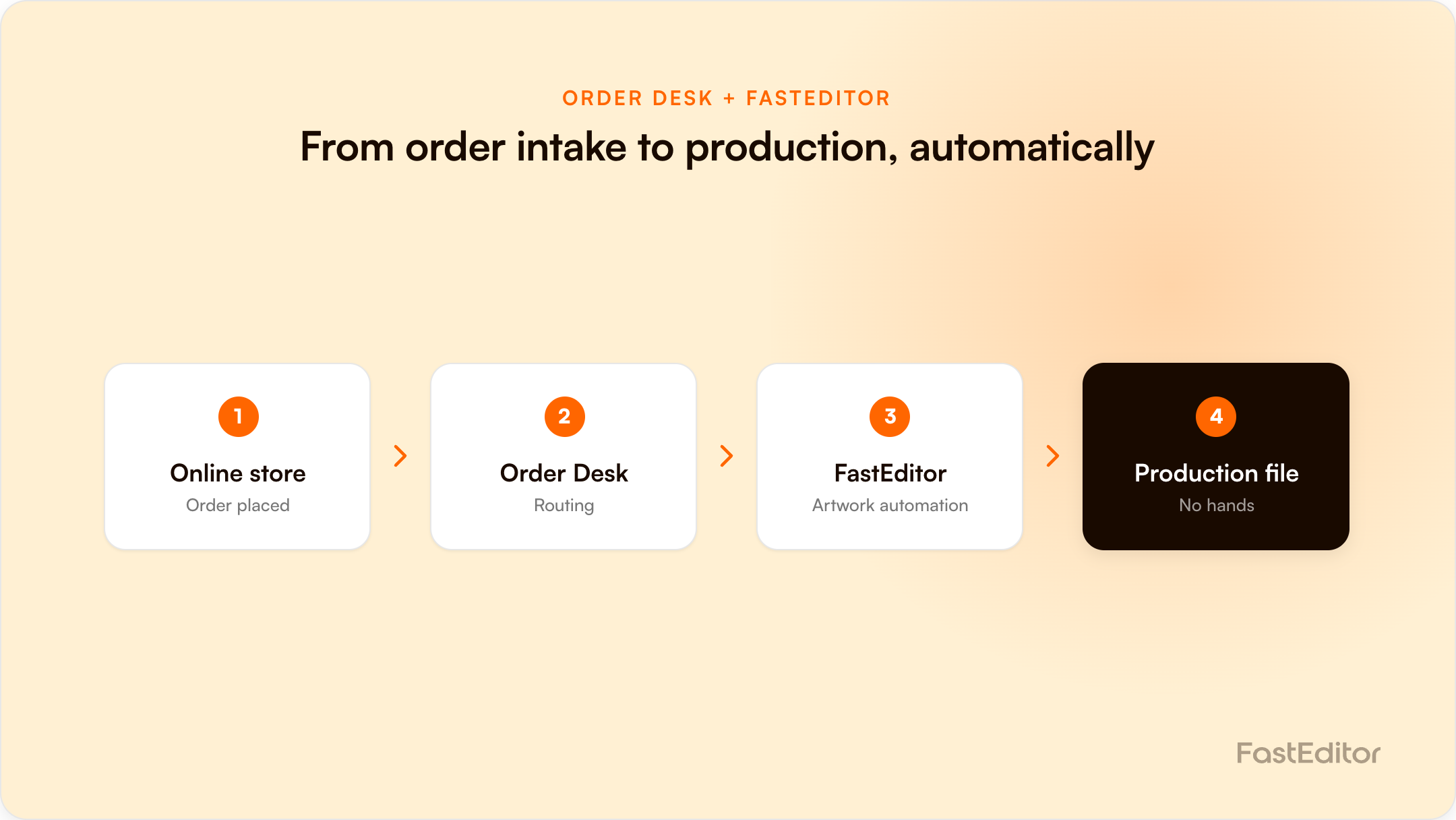
Order routing, inventory, and shipping are automated in most merch operations, but artwork prep is often still manual. The Order Desk and FastEditor integration closes that gap: Order Desk passes order and personalization data to FastEditor, which generates the production-ready file automatically, removing the bottleneck between order and production.
Guest post by Eric Granata, founder of PromoPilot.
Automation has transformed much of the print-on-demand and branded merch industry. Orders flow automatically from storefronts into production systems. Inventory updates happen in real time. Shipping notifications are sent without human intervention.
Yet one critical process often remains surprisingly manual: artwork preparation.
Many businesses have spent years optimizing how orders move through their operation, only to discover that production teams are still spending valuable time opening files, reviewing personalization details, preparing artwork, and generating production-ready assets.
As order volumes increase, these manual steps can quickly become a bottleneck. The good news is that modern automation tools are beginning to close that gap.
Consider a typical automated workflow. A customer places an order through an online store. The order is imported into an order management system. It is routed to the appropriate supplier or production facility. Shipping updates are automatically communicated back to the customer.
On paper, the entire process appears automated. But behind the scenes, someone may still need to:
These tasks are essential, but they are also time-consuming and repetitive. Every manual touchpoint introduces opportunities for delays, inconsistencies, and human error.
For a shop processing twenty orders per day, manual artwork preparation may not seem like a major challenge. At two hundred orders per day, it becomes a significant operational burden. At two thousand orders per day, it becomes nearly impossible without automation.
This is especially true for businesses producing personalized products, company stores, team apparel, and other highly customized items. The challenge is not simply volume. It is variability. Every personalized order creates another decision point, another file to generate, and another opportunity for a mistake. The more touches required between order placement and production, the harder it becomes to scale efficiently.
For many print-on-demand companies, decorators, and fulfillment providers, Order Desk serves as the operational hub that keeps everything moving. It excels at collecting orders from multiple sales channels, standardizing data, routing orders to the correct destinations, and connecting the various systems involved in fulfillment.
Its flexibility has made it a popular choice for businesses that need to manage complex workflows without building custom software. Order Desk helps automate the movement of information. But information is only part of the production process. Eventually, that order data must become production-ready artwork.
This is where FastEditor enters the picture. While Order Desk manages the operational side of the workflow, FastEditor focuses on production automation. Using customer and order data, it can automatically generate personalized artwork and create production-ready files based on predefined templates and business rules.
Instead of manually creating individual files for each order, production teams can automate much of the process. That means less time spent preparing artwork and more time focused on production quality, customer service, and growth.
Individually, both platforms solve important problems. Together, they help create a more seamless workflow from order placement to production. A typical process might look like this:
The result is fewer manual handoffs and a more efficient production process. Benefits can include:
Most importantly, teams spend less time performing repetitive tasks and more time handling work that genuinely requires human expertise.
Personalized ecommerce orders often require unique artwork for every purchase. Automating file generation helps businesses process higher volumes without increasing administrative overhead.
Names, locations, event details, and custom messaging can all be incorporated into automated artwork workflows, reducing the need for manual production setup.
Brand consistency becomes easier when artwork generation is automated using approved templates and predefined rules.
Organizations managing dozens or hundreds of storefronts can standardize production workflows while still allowing for localized personalization.
The merch industry has spent much of the last decade automating transactions. We have automated storefronts, order routing, inventory management, and shipping notifications. The next wave of innovation is focused on automating production preparation.
The businesses that gain the greatest competitive advantage will be those that successfully connect commerce, operations, artwork, and production into a single continuous workflow. Order Desk and FastEditor represent an example of what that future looks like.
It is about removing repetitive work so that talented teams can focus on what they do best. As an Order Desk partner myself, I have always appreciated the platform's flexibility and its ability to serve as the connective tissue between systems. Integrations like FastEditor demonstrate how operational automation and production automation can work together to eliminate bottlenecks and create a more scalable business.
As order volumes grow and customer expectations continue to rise, reducing manual artwork preparation may become one of the most valuable automation opportunities available.
If you are looking for a way to get started, consider trying the new Order Desk integration. And if you need a hand, PromoPilot is happy to help.
| Job | Order Desk | FastEditor |
|---|---|---|
| Collect orders from multiple sales channels | Yes | No |
| Standardise and route order data | Yes | No |
| Connect fulfilment systems and suppliers | Yes | Partially, via connected suppliers |
| Turn personalisation data into artwork | No | Yes |
| Vectorize and correct customer uploads | No | Yes |
| Generate production-ready files per supplier spec | No | Yes |
| Produce a customer-facing print proof | No | Yes |
It automates the artwork step between order and production. Order Desk passes product and personalization data to FastEditor, which generates the production-ready file automatically, so no one has to build each file by hand.
High-variability operations: print-on-demand stores, promotional product distributors, company stores, franchise networks, and multi-store programs, where almost every order needs unique, personalized artwork.
More articles in ROI & Business Case.
See the full platform in the Product Hub.
