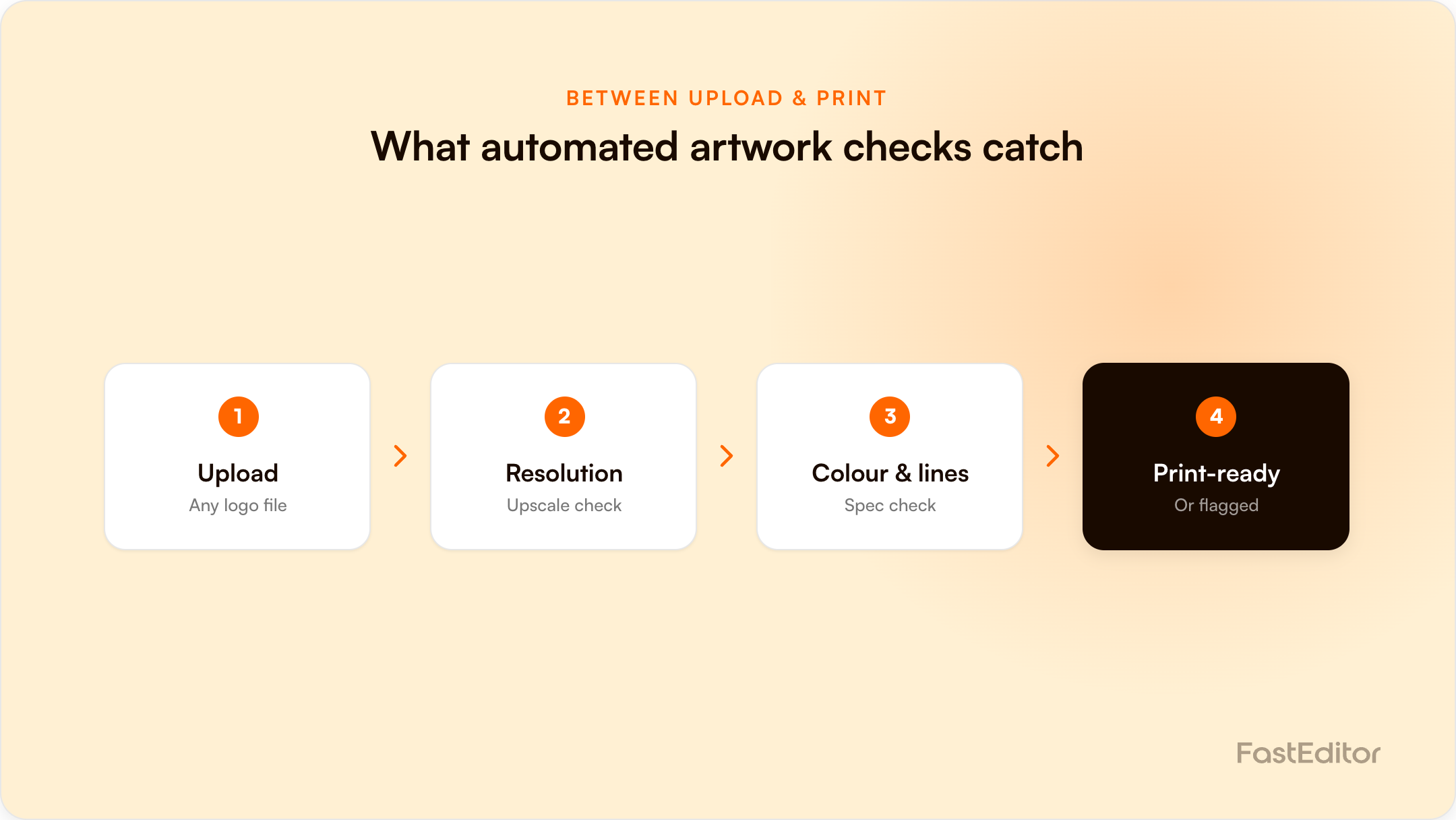
Automated artwork checks run the moment a customer uploads a logo, before a human ever sees it: vectorization, minimum line thickness, color count, print area and DPI. FastEditor's own data shows about 85% of uploaded logos fail at least one of these checks on the first pass. Skipping this step just moves the problem downstream to a reprint or a support ticket.
A customer picks a mug, uploads their company logo, and hits "add to cart." From their side, that is the whole interaction. From the platform's side, that upload just triggered a small production pipeline: is this file actually usable at print size, does it have the right color mode, is there enough resolution, will the smallest line in the design still register in embroidery or screen print.
On this page
This is the part of artwork automation that customers never see and suppliers only notice when it fails. FastEditor's own benchmark, drawn from 13,773 logo uploads across live personalization platforms, found that roughly 85% are not print-ready as submitted. Not broken, exactly, just not ready: the wrong color mode, a resolution built for a web banner instead of a 30cm print, or artwork with detail finer than the decoration method can reproduce.
Automated artwork checks exist to catch that gap before it becomes someone's problem at the production stage. Once a check fails, the next decision is whether to block the order or just warn, which depends on the defect and the business.
What actually arrives in the upload queue
Share of customer logo uploads that needed each automated correction.
FastEditor Artwork Automation Benchmark 2026. Rates measured on 8,664 uploads, March to May 2026; 13,773 uploads analysed in total. Roughly 85% needed at least one of these fixes.
Most uploaded logos arrive as raster images: PNG or JPG screenshots, low-res exports from an old email signature, a photo of a printed card. For screen print, embroidery, and most decoration methods that need clean vector paths, that file has to be converted first. Automated vectorization tools like FastEditor's process this in under 20 seconds, turning a fuzzy raster logo into clean, scalable vector paths.
The check that matters here is not just "can this be vectorized" but "should it be." DTG (direct-to-garment) and sublimation printing work directly from raster files and do not need vectorization at all, so a system that force-vectorizes everything will actually make DTG output worse, not better. A properly automated check routes the file correctly based on the decoration method selected, not a single blanket rule.
Every decoration method has a physical floor on how fine a line or how small a detail can print cleanly. Embroidery cannot stitch a hairline the way a laser can etch one. Screen print loses fine serif detail that a full-color digital print would render fine. An automated check flags artwork with lines or text below the safe threshold for the selected method and product, before the order reaches a machine that will either reject it or produce something illegible. See our preflight rules for minimum line thickness and font size for the exact thresholds.
Full-color digital printing does not care how many colors are in a design. Screen print and embroidery do, because each additional color is a separate print run or thread change. Automated checks count colors, flag designs that exceed the method's practical limit, and map submitted colors to the closest PMS match so the customer sees an accurate preview of what will actually print, not just what displays on their screen. For engraving and embossing the preview has to go further, showing tone and relief rather than flat color.
The last layer is geometric: does the artwork fit the printable area on this specific product, is there bleed where the decoration method needs it, and is the resolution (DPI, default 300) sufficient at the actual output size once it is scaled from a screen-sized upload to a physical product. A logo that looks sharp in a 200-pixel-wide upload can look pixelated the moment it is printed at 15cm across, unless the DPI check catches it first.
None of this is optional if the alternative is catching the same errors later. Skip automated checks and the errors do not disappear, they just resurface somewhere more expensive: a manual reviewer flags it after the order is placed, a customer sees a blurry proof and abandons the cart, or worse, nobody catches it and the physical product ships with visibly poor print quality. That is a reprint, a refund, or a support ticket, all of which cost more than the few seconds it takes to run the check up front.
One recent testing round with a partner surfaced this directly: their QA process flagged flexible vectorization control, clearer artwork-correction messaging, and automatic line-thickness checks as the three things they needed before they would trust the editor with production volume. That is a fairly precise description of what "automated artwork checks" needs to mean in practice, not a vague quality gate but three specific, testable behaviors.
| Traditional prepress preflight | Automated artwork checks | |
|---|---|---|
| Who submits the file | A designer, already briefed on print requirements | An end customer, often with no design background |
| When it runs | Before a print job is scheduled, often manually | The moment the file is uploaded, in seconds |
| Tools | FlightCheck, PitStop, manual reviewer | Built into the personalization editor itself |
| What happens on failure | File goes back to the designer with notes | Customer gets an instant, in-editor correction prompt |
| Volume it can handle | Dozens of files a day, reviewer-limited | Thousands of uploads a day, unattended |
Traditional preflight tools were built for a world where a professional designer submits a near-final file to a print shop. Personalization platforms operate in the opposite world: an untrained customer uploads whatever they have on hand, at the exact moment they are trying to complete a purchase. The check has to be instant, forgiving, and specific enough to tell the customer what to fix, not just that something is wrong.
No. Vectorization is required for decoration methods like screen print and embroidery that need clean vector paths, but DTG and sublimation print directly from raster files and should not be force-vectorized. The check should route based on the decoration method, not apply one rule to every upload.
A well-built check gives the customer a specific, actionable prompt in the moment, not a generic rejection. That might mean flagging which lines are too thin for the selected product, suggesting a higher-resolution re-upload, or offering an automatic color correction the customer can accept or decline.
For the majority of uploads, yes, since the checks catch clear technical failures (resolution, line thickness, color count) with no ambiguity. Genuinely borderline cases, like artistic intent versus a technical error, still benefit from a human in the loop, but that should be the exception queue, not the default path for every order.
More articles in Artwork Automation.
Want to see what automated artwork checks catch on your own catalogue? Get in touch.
Benchmark note: 13,773 logo uploads were analysed in total (19 November 2025 to 31 May 2026). The correction rates quoted here are measured on the stable instrumentation window of 8,664 uploads, March to May 2026. See the full methodology.
