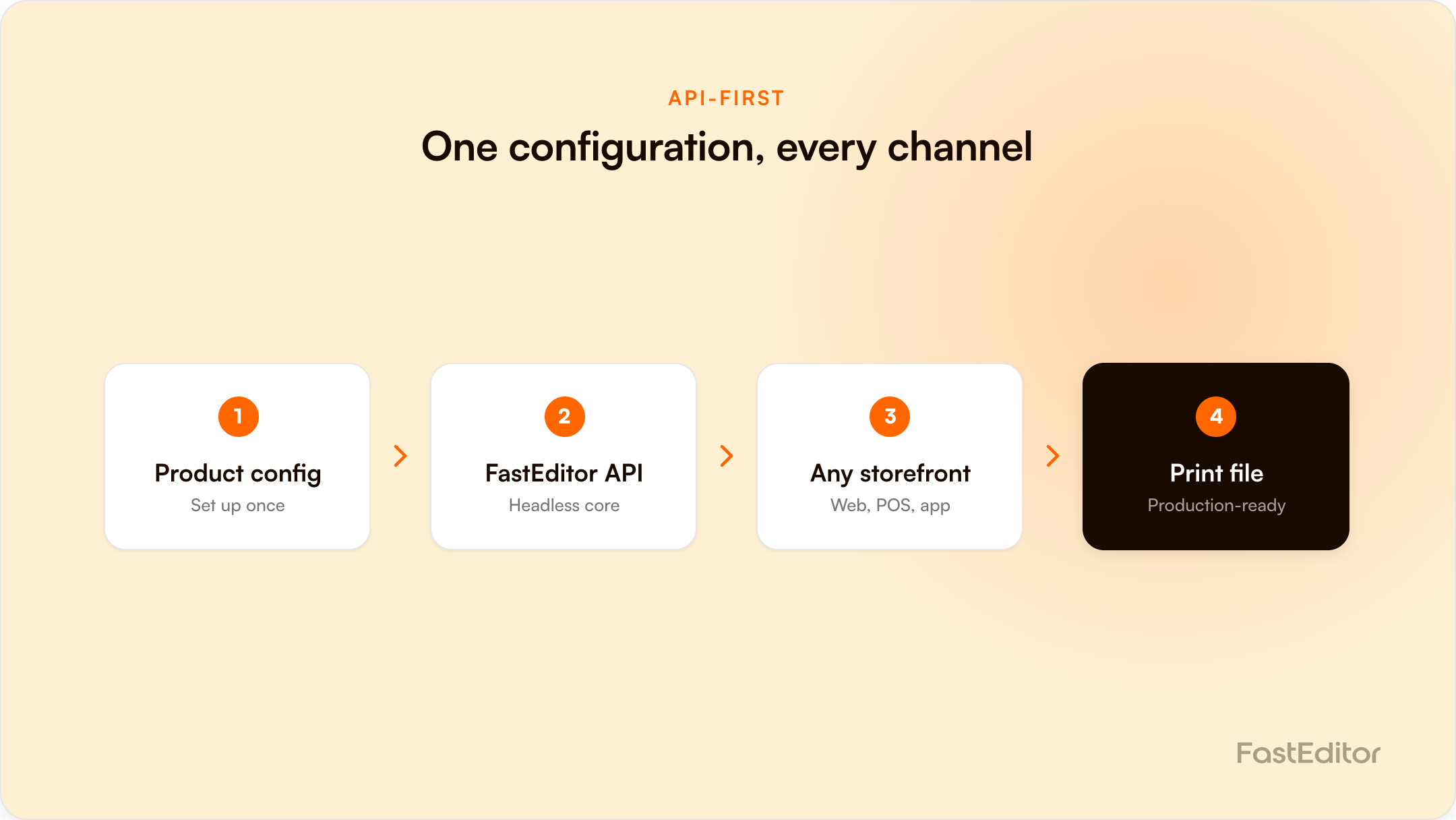
API-first, for a product configurator, means the configuration logic, print-file generation, and product data live behind an API rather than baked into one storefront's frontend. Set up a product once and it becomes usable across every connected channel, without re-building it per platform. A coupled configurator locks that same product to wherever it was originally built.
Most people encounter headless and API-first as generic e-commerce buzzwords first, attached to vague claims about faster page loads and more flexible frontends. For a product personalization configurator, the definition is narrower and more useful: it means the actual configuration logic (what product, what print positions, what decoration methods, what output files) lives behind an API, separate from any single storefront's frontend code.
The practical test is simple. Configure one product once. Can that same configuration now render inside your own website, a reseller's separate storefront, and a distributor's catalog, without anyone rebuilding it three times? If yes, the platform is genuinely API-first. If every new sales channel means re-configuring the same product from scratch, the platform is coupled to its original frontend regardless of what marketing material calls it.
| Coupled configurator | API-first configurator | |
|---|---|---|
| Where the logic lives | Baked into one storefront's frontend | Behind an API, independent of any frontend |
| Adding a new sales channel | Re-build the product configuration from scratch | Point the new channel at the existing API |
| Multi-channel resellers | Each reseller needs its own build | One configuration, every connected reseller |
| Update a product spec | Update once per storefront | Update once, live everywhere connected |
In FastEditor's Product Hub, a product configured once, with its SKU, print positions, decoration methods, and output specs, becomes automatically available across the entire connected network: the Studio Tool, every connected reseller and distributor, the Promidata network, and the European Sourcing network. List once, live everywhere.
The caveat is real: this only works if the underlying print data and SKU matching are correct in the first place, because the same configuration flows unchanged to every channel it reaches. An API-first architecture multiplies good data efficiently. It also multiplies a bad SKU mapping just as efficiently, so the accuracy of the initial configuration matters more, not less, once it is distributed everywhere. FastEditor's Product Hub has processed over 563,981 product configurations built on exactly this model.
The architecture argument is easier to judge against real calls. Here is the same product reaching three different frontends through one configuration.
1. Open the editor for a configured product. One request, one URL back. The frontend that renders it is your choice.
curl -X POST "https://{api_domain}/api/smartlink" \
  -H "X-Api-Key: YOUR_API_KEY" \
  -H "Content-Type: application/json" \
  -d '{
        "supplier": "PF Concept",
        "virtualSku": "10051500#1|$pp=front&$pc=4",
        "country": "NL",
        "currency": "EUR",
        "language": "en",
        "userId": "your-customer-8821",
        "customAttributes": { "channel": "reseller-a", "cartId": "c_4471" }
      }'
{
"url": "https://editor.fasteditor.com/s/9f2c1a44-…"
}The only thing that changes between your own storefront, a reseller's storefront and a distributor catalogue is the customAttributes you pass and where you redirect. The product configuration itself is identical, because it lives behind the API rather than inside a frontend.
2. Take the finished design back into your cart. The editor returns the shopper with an fe_cart_url query parameter. Fetch it server-side and you get the line items.
{
  "projectKey": "916",
  "projectId": "5f31c0…",
  "sku": "10051500",
  "quantity": 50,
  "price": 4.35,
  "currency": "EUR",
  "imageUrl": "https://cdn.fasteditor.com/preview/…png",
  "customAttributes": { "channel": "reseller-a", "cartId": "c_4471" },
  "output": [
    {
      "name": "front",
      "printMethod": "screen-print",
      "printArea": { "width": 80, "height": 40, "unit": "mm" },
      "pmsColors": ["PMS 021 C", "PMS 288 C"],
      "uploads": ["https://cdn.fasteditor.com/uploads/…ai"]
    }
  ]
}
Validate that the fe_cart_url host resolves to *.fasteditor.com before you fetch it. Keep projectKey: it is the join key for everything that follows.
3. Tell the API the order was placed, and receive the print files.
curl -X POST "https://{api_domain}/webhook/notifyorder" \
  -H "X-Api-Key: YOUR_API_KEY" \
  -H "Content-Type: application/json" \
  -d '{
        "orderId": "order_123",
        "orderItems": [
          { "projectKey": "916", "orderItemId": "item_6750898",
            "quantity": "50", "totalSaleValue": "217.50" }
        ],
        "callbackUrl": "https://printfiles.yourbrand.com/hook"
      }'
FastEditor then POSTs the generated files to your callbackUrl, with the X-Api-Key header set so you can verify the sender. Answer 201 or the delivery is treated as failed.
{
  "projectKey": "916",
  "files": ["https://cdn.fasteditor.com/print/…zip"],
  "output": [
    { "name": "front",
      "printMethod": "screen-print",
      "printFiles": ["https://cdn.fasteditor.com/print/front-916.pdf"],
      "proofUrls":  ["https://cdn.fasteditor.com/proof/916.pdf"] }
  ]
}
Four calls, no frontend assumptions anywhere in them. That is the test: if a vendor cannot show you this flow without naming a specific storefront platform, the logic is not really behind an API. The full sequence is documented in the cart-to-print-file lifecycle, and the SKU encoding in the virtual SKU guide.
They are closely related but not identical. Headless generally describes decoupling the frontend from the backend. API-first, for a configurator specifically, adds that the underlying product and print logic is also reusable across multiple frontends, not just replaceable on one.
No. Most partners use a vendor-provided editor frontend and never touch the API directly. What API-first guarantees is the option: if you need a custom frontend later, the underlying logic already supports it without a rebuild.
The risk shows up the moment you want to sell the same product through a second channel and discover the configuration has to be rebuilt rather than reconnected. That cost compounds with every additional channel.
More articles in Developers & API.
