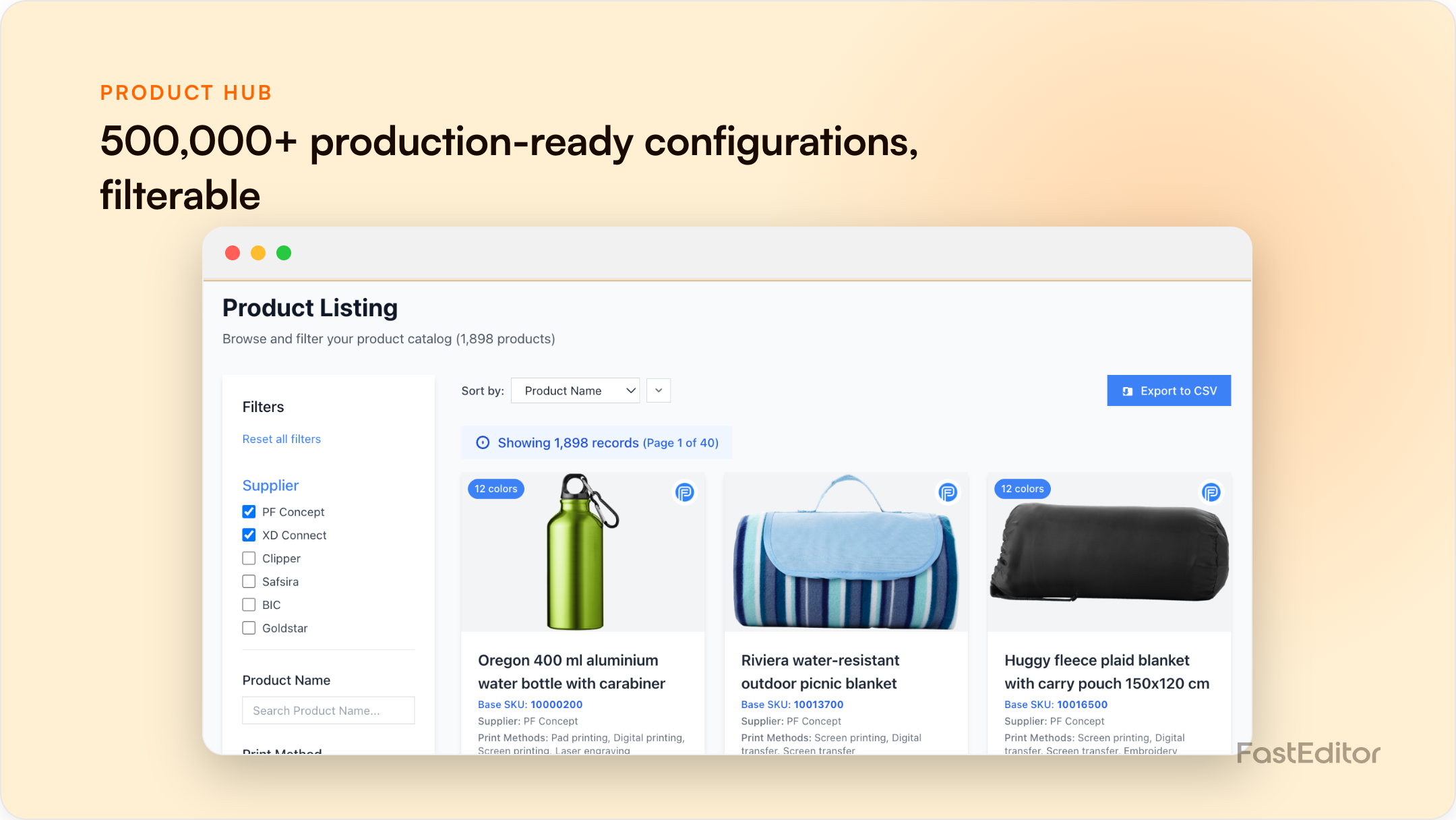
Promo catalogue software must hold per-product print areas, decoration methods and variant logic, not just listings. Spreadsheets collapse around 500 SKUs across 30 suppliers, and generic PIM lacks print data. A promo-specific catalogue that feeds artwork automation directly prevents the reprints that bad spec data causes.
FastEditor platform data (March to May 2026): automation corrected the 85% of 13,773 logo uploads that needed at least one fix and produced production-ready files in a median of 53 seconds. None of that works without accurate catalogue specs underneath. See the Artwork Automation Benchmark 2026.
Benchmark note: 13,773 logo uploads were analysed in total (19 November 2025 to 31 May 2026). The correction rates quoted here are measured on the stable instrumentation window of 8,664 uploads, March to May 2026. See the full methodology.
Most promo distributors run their catalogue in spreadsheets, shared folders and supplier PDFs. It works at 50 SKUs. Somewhere around 500 SKUs across 30 suppliers it stops working, quietly at first and then expensively. This guide explains what catalogue software has to do for promo specifically, compares the three realistic options, and shows what stale data costs in reprints, with the arithmetic in the open.
The product count understates the problem. A promo SKU is not one row of data: a single mug might carry four print positions and three decoration methods, each with its own print area, colour limits and file requirements. At 500 SKUs with, say, four positions and three methods each, you are maintaining around 6,000 print-spec combinations, refreshed every time one of 30 suppliers updates a template. That is the data layer beneath a US promo channel that PPAI estimates at $27.1 billion in distributor sales in 2024. The industry runs on this data whether it is managed or not.
A generic product information manager (PIM) handles names, images and descriptions well. It has no native concept of a print area or an embroidery constraint, and that is exactly the data promo lives or dies on.
| Criterion | Spreadsheets | Generic PIM | Promo-specific catalogue with artwork automation |
|---|---|---|---|
| Product and supplier coverage | Whatever you key in by hand | Good for marketing data at scale | Pre-connected supplier catalogues, for example 563,981 configurations from 150+ suppliers |
| Production spec accuracy | Decays from the day it is saved | No native print data model | Specs maintained per product, position and method |
| Artwork automation integration | None; data is retyped into other tools | Possible via custom work | Native; specs drive file generation directly |
| API access | None | Yes, for content fields | Yes, for content and production data |
| Update frequency | Manual and ad hoc | Manual or feed based, content only | Vendor maintained as suppliers change specs |
Coverage means the products you actually sell are present with full production data, not just hero images. Accuracy means a print area in the catalogue matches the supplier's current template, every time. Integration means the spec is consumed by the artwork engine directly, so a corrected spec corrects the output the same day. API access means one source of truth feeding storefront, automation and ordering. Update frequency means someone other than you notices when a supplier changes a template.
Assumptions, labelled as assumptions: 1,000 orders per month, 3% of orders failing on wrong catalogue data (a stale print area, a wrong decoration method), a direct reprint cost of €25, and 30 minutes of staff handling per incident at a fully loaded €35 per hour, so €17.50 (for context, Eurostat puts the EU average hourly labour cost at €33.50 in 2024). That is €42.50 per incident, 30 incidents a month, about €1,275 per month or €15,300 a year, before you count the customers who never come back. The same logic at full scale is worked through in the artwork automation ROI comparison.
The catalogue is the input to every generated file. When a customer uploads a logo, the automation engine reads the product's print area, method and constraints from the catalogue and produces the file to that spec; if the spec is wrong, a perfectly corrected logo still becomes a wrong file. That is why FastEditor pairs automation with the Product Hub, 563,981 ready configurations built from real supplier specs across 150+ suppliers, and why onboarding starts with data, as the supplier go-live playbook shows. Clean catalogue data is also the precondition for scaling order volume without hiring designers. To see what the combination is worth in your own numbers, run the ROI calculator.
Spreadsheets cannot reliably hold per-product, per-position, per-method print specs at scale, and they do not connect to artwork automation. Errors sit unnoticed until they reach production as reprints.
Spec accuracy. A large catalogue with wrong print data generates wrong files at scale, while a smaller, accurate catalogue prevents reprints and protects margin.
A pre-built hub with vendor-maintained supplier specs is usually faster and more reliable than maintaining thousands of spec combinations yourself, especially across 30 or more suppliers whose templates change without notice.
A PIM manages marketing content such as names, images and descriptions. Promo catalogue software adds production data: print areas, decoration methods and constraints that artwork automation needs to generate correct files.
If you are actively comparing vendors, we keep honest side-by-side write-ups of the main alternatives: Zakeke, Customily, Printess, Kickflip, ImprintNext and Design'N'Buy / PrintXpand, or browse them all in Comparisons.
More articles in ROI & Business Case.
