Book a demo
Connected supplier

Automate artwork for Jerzees products

Jerzees is a US apparel brand, part of Fruit of the Loom, supplying value-priced t-shirts, fleece, sweatshirts and polos for the decoration and promotional market.
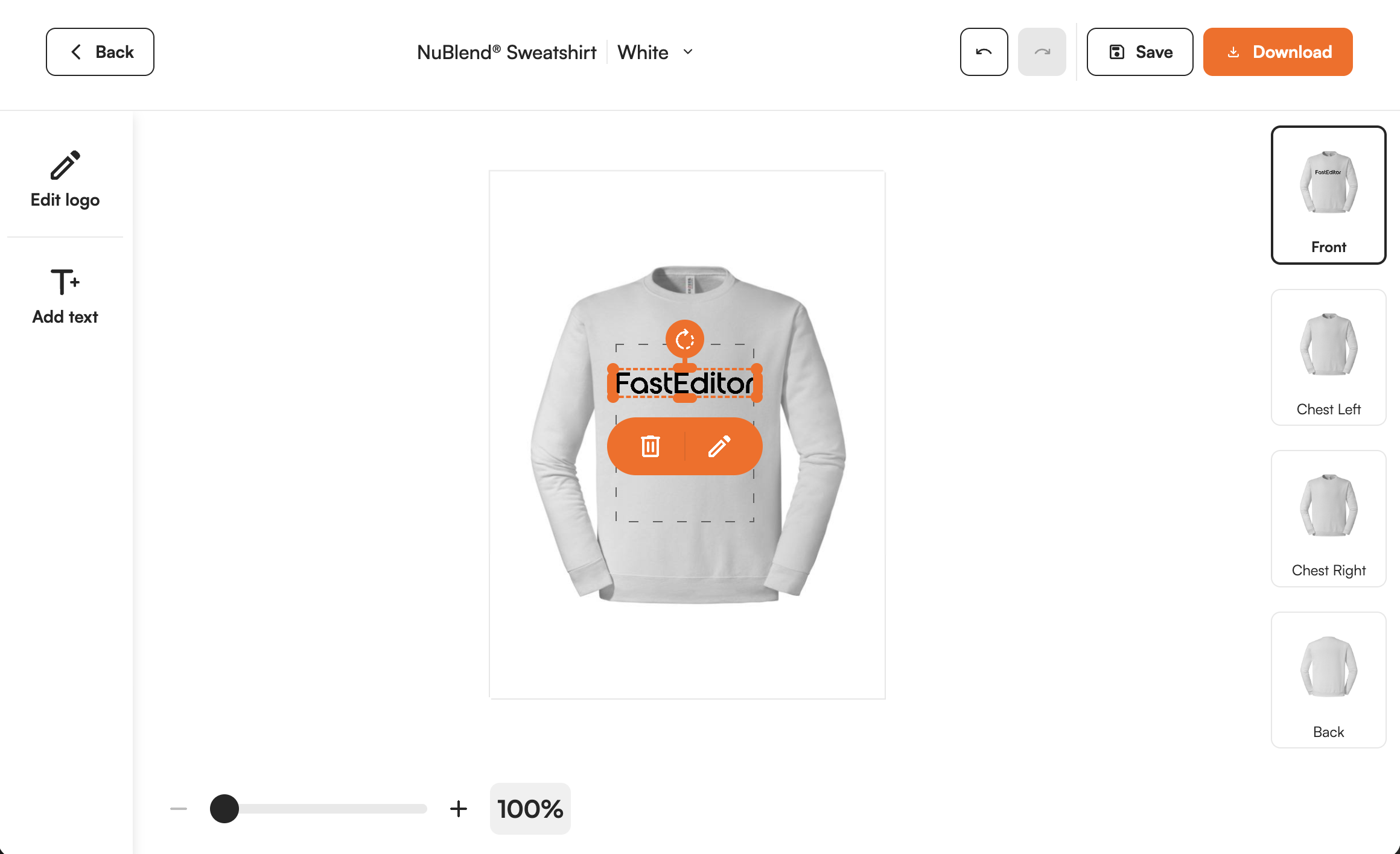
Supplier product shown in the FastEditor editor
10
Product groups
United States
Headquarters
Monthly
Catalogue sync
Feed integration
Integration
Onboarded
Status

Overview

Jerzees is a US apparel brand and part of Fruit of the Loom, long established in value-priced basics for the decoration market, with t-shirts, fleece, sweatshirts, hoodies and polos including its NuBlend fleece and Dri-Power performance lines. It is a high-volume staple for screen printers, embroiderers and promotional resellers.

Value blanks live on throughput, and a logo that fails prepress on a bulk run is costly. FastEditor lets a customer or your sales team upload a logo, vectorizes it automatically when vector output is required for the selected decoration technique, and validates it against the chosen garment before output, so a Jerzees order reaches screen print or embroidery without a prepress correction loop.

How the integration works

Jerzees is connected through the FastEditor Product Hub, so its basics catalogue reaches your storefront ready for personalisation.

  • A logo is uploaded onto a Jerzees tee, fleece or sweatshirt and FastEditor vectorizes it automatically when vector output is required for the selected decoration technique.
  • The artwork is validated against the garment's decoration method and area, checking colour count, line weight and resolution.
  • FastEditor previews the logo in place and generates a branded proof with a production-ready file.

The Jerzees range is available to resellers through the FastEditor Product Hub.

Browse the full range in Product Hub

Every product, with print positions and decoration methods attached, ready to drop into your webshop.
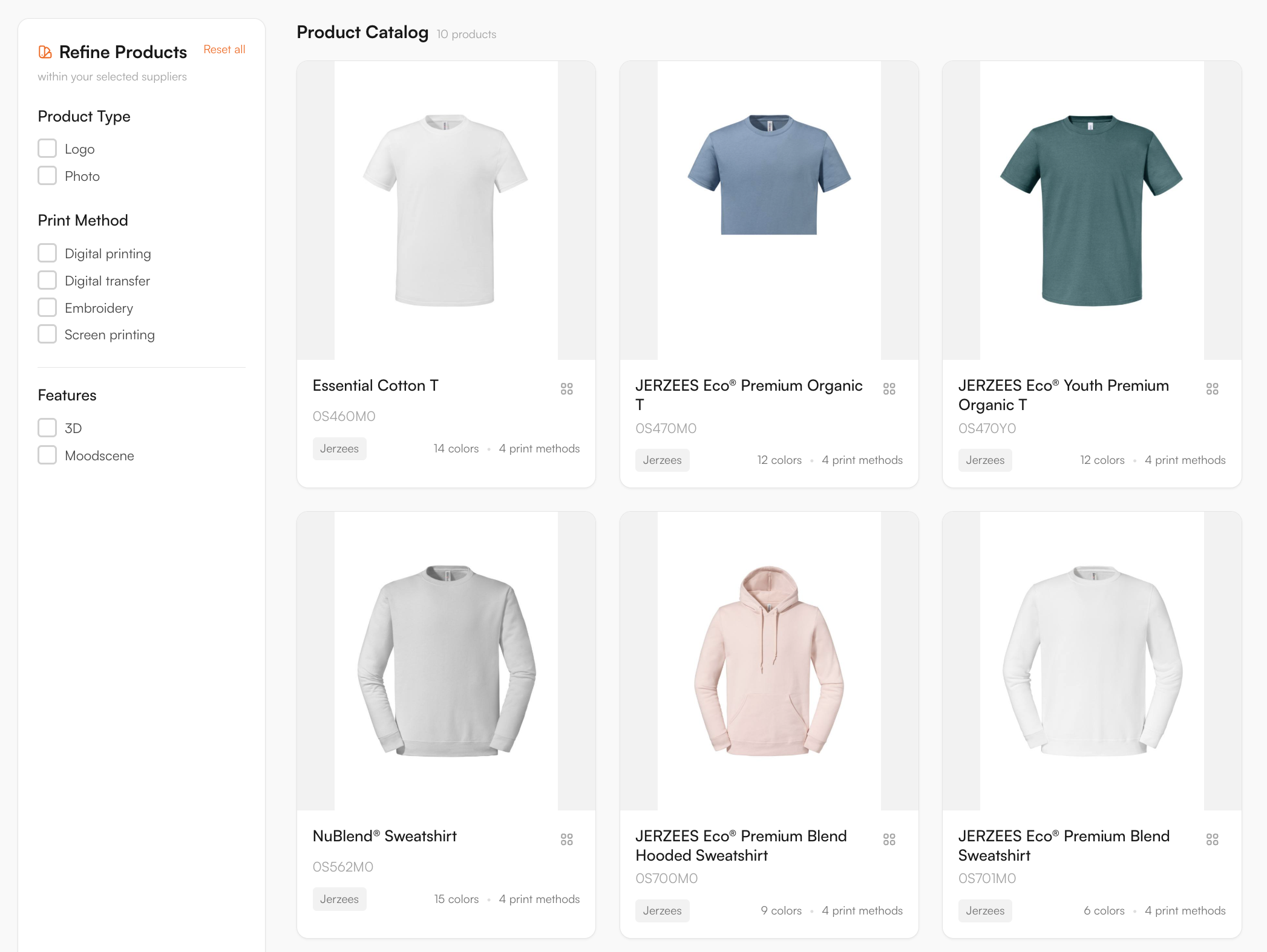
Supplier catalogue in the FastEditor Product Hub

Decoration methods

Screen printing, Embroidery, DTF transfer, DTG, Digital printing

Product categories

Artwork requirements

Jerzees garments are usually screen printed or embroidered, so artwork is prepared for the chosen method and placement.

  • Vector artwork. Raster logos are vectorized when the selected decoration technique requires vector output, so separations and stitch paths stay clean.
  • Colour count. Screen print and DTF are held to a defined colour count per placement.
  • Fine detail. Small text and thin lines are kept above the embroidery minimum so detail holds as stitches.
  • Placement and size. Front, back and sleeve placements are confirmed inside the decoration area for the chosen garment.
  • Proof preview. Placement is previewed on the real garment colour before the order is confirmed.

How to start selling

  1. Start from the connected catalogue. Every Jerzees product in the FastEditor Product Hub already carries its print areas, decoration methods and specifications. Product configuration is already done. To start in Studio Tool, create an account and choose a plan; the Starter plan includes a 30-day free trial. For Logo Editor, activate a FastEditor license and complete the webshop integration setup.
  2. Choose how you sell. Put products on your webshop with the Logo Editor so customers personalise them, or keep them in the Studio Tool for your sales and account teams.
  3. The design happens in FastEditor. A logo drops onto the product inside the real decoration area, is checked against the colour and line-weight rules, and is previewed in place before anyone commits.
  4. Generate the proof and production file. In Studio Tool, use Download to generate the files for the selected product and decoration technique. In Logo Editor, the webshop sends a Sale Notification after the customer places the order to trigger file generation. The proof and production file follow the selected supplier configuration.
Book a demo

Logo Editor or Studio Tool?

Two tools, one artwork engine.

Studio Tool

For internal sales & account management teams

✓Browse the catalogue and find any product from the supplier
✓Design it across positions, then download the branded print proof
✓Get production-ready files, no customer order needed
Explore Studio Tool →

Logo Editor

For your webshop

✓Connect to your webshop, linked to the right product by supplier SKU
✓Your customer designs and approves online
✓After the order, you receive the production-ready files
Explore Logo Editor →

Frequently asked questions

Which Jerzees products are available through FastEditor?

Jerzees t-shirts, fleece, sweatshirts, hoodies and polos connected in the FastEditor Product Hub carry their decoration areas and methods, so a customer's logo is validated against the exact garment before a proof is produced.

Which Jerzees decoration methods does FastEditor support?

The methods mapped for Jerzees include screen printing, embroidery, DTF transfer, DTG and digital print. Each product carries the methods available for it, with the colour and line-weight limits that method imposes.

Do Jerzees orders produce a print-ready file automatically?

Yes. FastEditor generates a proof and a production file using the selected product and decoration technique's configured supplier specifications. Raster logos are vectorized automatically when vector output is required; otherwise vectorization may be recommended and is optional. In Studio Tool, generate the files with Download. In Logo Editor, the webshop sends a Sale Notification after the customer places the order to trigger file generation. The production format depends on the configuration and can be JPG, PNG, PDF or SVG. Embroidery DST output is currently in testing and is not yet available.

Is Jerzees suited to high-volume decorated orders?

Yes. Jerzees is a value basics range built for volume, and FastEditor prepares a production-ready file and proof to the garment and method specification, so a large screen-print or embroidery run clears artwork approval before it reaches the floor.