
See the artwork on the real product, in full 3D.
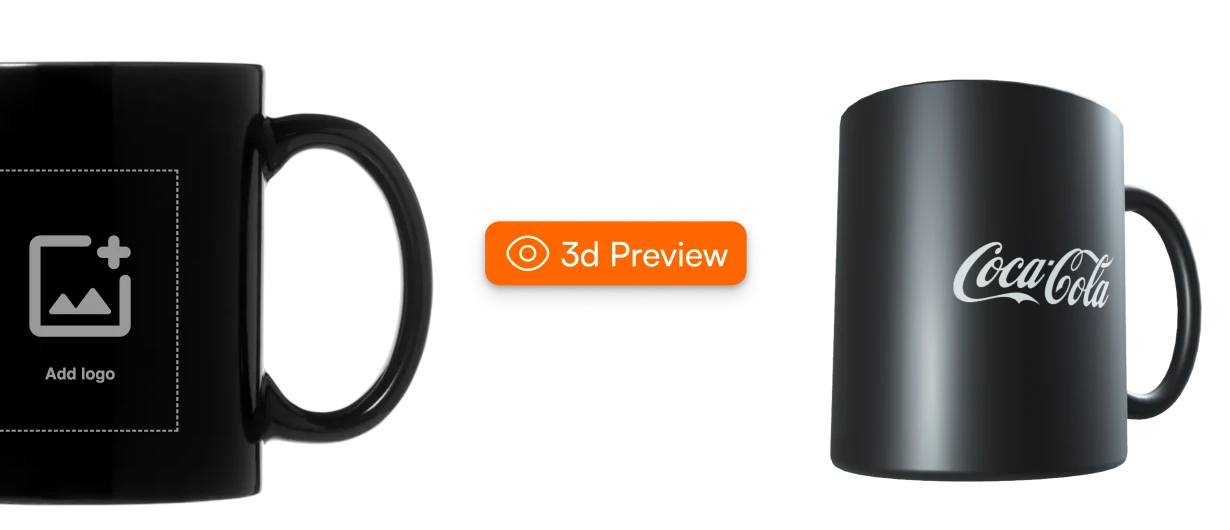
Your customer uploads a logo or a photo. FastEditor maps it onto a true-to-life 3D model of the product, so they rotate it, zoom in and see exactly what they will get before they buy. No mockup step, no Photoshop, no waiting.
A 30-minute demo on your own products and artwork. No commitment.

XD Connects visualized 15,000+ products across its full promotional range, every item orderable with the customer's own artwork on it.Catalog, XD Connects. Read the case study
What is 3D product visualization?
3D product visualization shows a customer's own logo or photo on an interactive, true-to-life 3D model of the product they are about to order. Instead of imagining the result from a flat mockup, the buyer rotates the product, zooms in and sees how the artwork wraps, curves and sits on the real surface.
FastEditor renders that preview automatically, in seconds. The artwork is cleaned up with automated vectorization, placed inside the supplier-approved print area, and shown with the effect of the chosen decoration technique.
- Input
- A logo or photo. AI, EPS, PDF and SVG give the cleanest result; PNG and JPG work too
- Output
- An interactive 3D preview, plus PNG, JPG and thumbnail exports
- Speed
- Seconds from upload to preview
- Simulates
- Screen print, DTF/DTG, embroidery, laser engraving, deboss/emboss, UV/digital, sublimation and pad print
- Views
- Rotate, zoom, front, back, side, top and close-up
- Runs in
- Logo Editor, Photo Editor, product pages and the API
A flat mockup asks the customer to imagine the result.
Many will not. They hesitate at the preview, doubt their own upload, and leave the basket.
Flat images hide the product
A logo on a flat photo does not show how it wraps a mug, curves on a bottle, or sits on a sleeve.
Manual mockups do not scale
A designer builds each preview by hand in Photoshop. It is slow, and it cannot run on thousands of SKUs.
Uncertainty ends in proofs
When the customer cannot picture the result, they ask for a proof, and the sales cycle stretches out.
One upload in. A product they can turn around.
From upload to an approvable 3D preview in seconds, with no designer building a mockup.
Upload
The customer adds a logo or a photo on the product page or in the editor.
Enhance
FastEditor vectorizes low-quality uploads, removes backgrounds, matches colors and cleans the edges.
Map
The artwork is placed inside the print area and distorted correctly on curved, angled or textured surfaces.
Rotate and approve
The customer turns the product, zooms in and approves. The preview can go straight into the print proof.
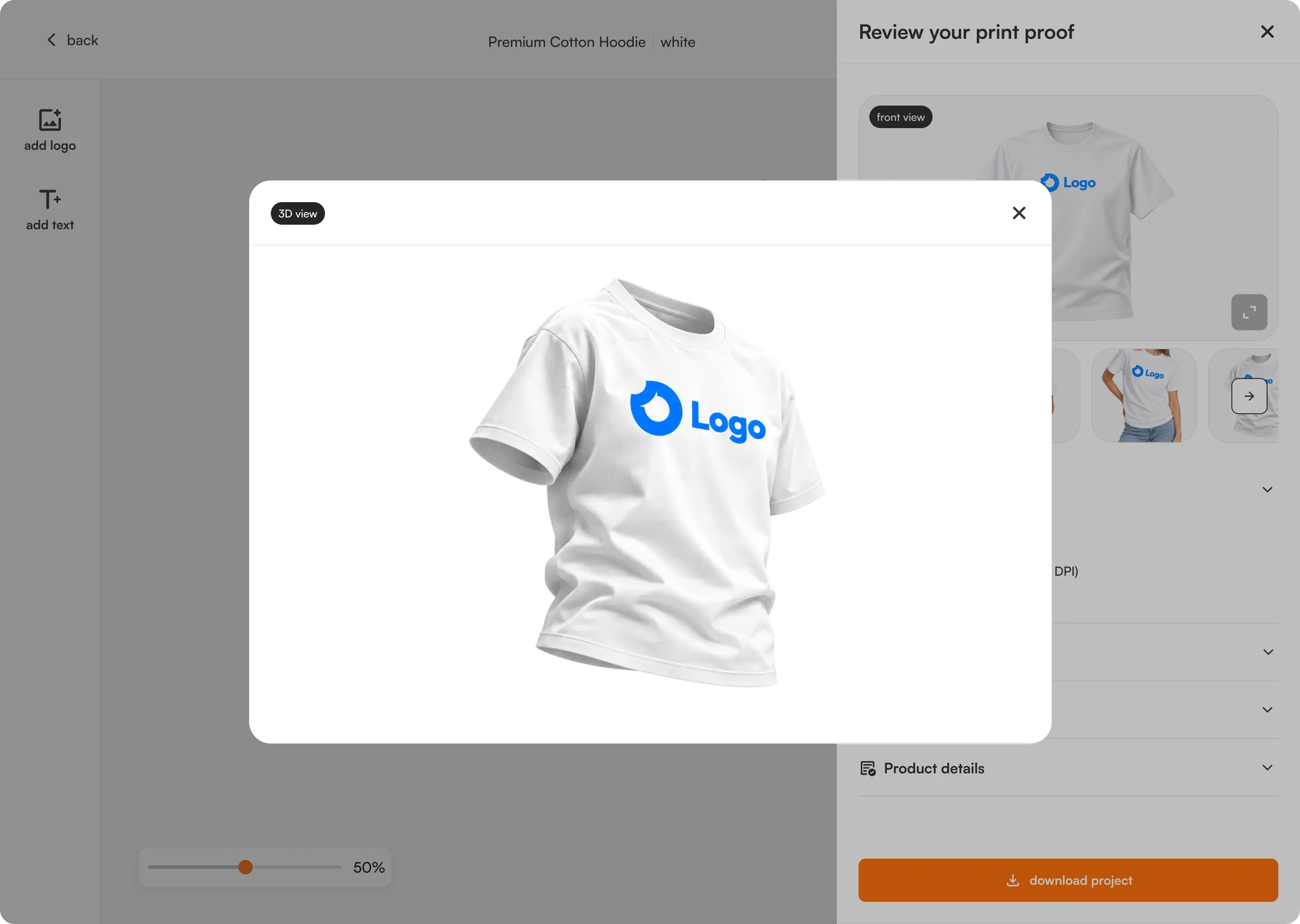
What the customer approved on screen is what gets produced.
See it on your own productor see it live →What makes the preview match the printed product.

Smart artwork mapping
Logos place themselves inside the print area and distort correctly on curved, angled or textured surfaces. Built for bottles, mugs, caps and apparel.
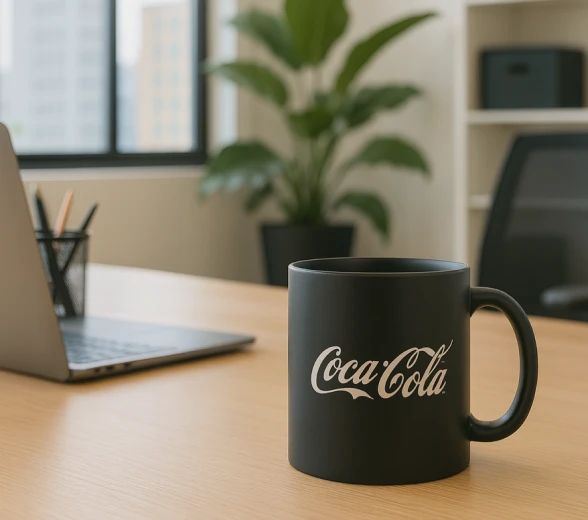
3D mood scenes
Show products in real settings: an office desk, an outdoor scene, apparel on a model, an event display.

Multi-angle view
Customers rotate, zoom and switch between front, back, side, top and close-up.
Brand-accurate 3D models
Every product is a high-resolution model with real textures, materials, lighting and shadows.
Multi-technique simulation
Screen printing, DTF/DTG, embroidery with thread simulation, laser engraving, deboss/emboss, UV/digital, sublimation and pad printing, each shown with the right effect.
High-resolution exports
Download previews as transparent PNG, high-res JPG or web-ready thumbnails, or push them straight into the print proof.
Three ways to show a custom product.
How 3D visualization in FastEditor compares with a flat product photo and a mockup built by hand.
| Flat product photo | Manual Photoshop mockup | FastEditor 3D | |
|---|---|---|---|
| Shows how the artwork wraps the product | No | From one fixed angle | Yes, rotate and zoom |
| Time per preview | None, but it is not the customer's design | A designer builds each one by hand | Seconds, automatically |
| Works across the whole catalog | Yes, without the artwork | No, one SKU at a time | Yes, live on every SKU |
| Shows the decoration technique | No | Only if the designer draws it | Yes, 8+ techniques simulated |
| Uses the supplier print area | No | Checked by hand | Yes, supplier-approved print areas |
| Leads into proof and production file | No | Separate step | Yes, in the same flow |
Customers buy what they can see.
Seeing a design in 3D answers the one question that stalls a custom order: will it actually look right?
When 3D models are activated. Live preview alone delivers a +20% baseline uplift, measured across 48 webshops.
A realistic preview removes the surprise, so approvals come faster.
No manual mockups and no Photoshop. Upload, preview, approve.
What the customer approved on screen is what gets produced.
3D is fully responsive and runs on mobile webshops and customer flows.
Live across full catalogs.
XD Connects visualized 15,000+ products across its full promotional range, every item orderable with the customer's own artwork on it.

Passot runs its catalog, data enrichment and 3D models in-house, and its resellers preview a customer logo on every product.
One 3D engine, everywhere your customers design.
The same visualization runs in your webshop, your editors and your supplier catalogs. Set it up once.
Logos, mapped to the print area
A customer's logo is placed and distorted correctly on curved, angled or textured surfaces.
Explore Logo Editor →Photos, rendered on the product
Consumers see their photo on the real product in real time. Live preview delivers +20% conversion, measured across 48 webshops, and +25% basket size.
Explore Photo Editor →Live on every SKU
3D runs on product pages, distributor webshops and supplier catalogs, and through the API. Shopify, WooCommerce, Promidata or custom.
See integrations →Book a demo
We render one of your products with your artwork and walk through how 3D fits your webshop and catalog.
See it live
Open the Product Hub and see the visualization running on real products from connected supplier catalogs.
Works with the rest of the engine.
Automated vectorization
Any upload rebuilt as a clean, printable vector in seconds.
Learn more →Print proof creation
Branded proofs generated and approved online in 20 seconds.
Learn more →Production-ready file generation
Output built against each supplier's specs and technique.
Learn more →Preflight and line-thickness checks
Every file validated against the method before it ships.
Learn more →Questions resellers ask about 3D.
Still unsure whether it fits your catalog? We will walk it through on your own products.
Ask us anythingWhat is 3D product visualization?
How accurate is the 3D visualization?
Does 3D support multiple print methods?
What file types work best for 3D previews?
Can customers upload low-quality logos?
How much does 3D visualization lift conversion?
Does 3D visualization work on mobile?
Can I add my own products to 3D?
Does 3D slow down my website?
How do we add 3D visualization to our webshop?
See your own product come to life in 3D.
Book a 30-minute demo and we will render one of your products with your artwork.
No commitment. We run the full flow on your products.