Menu openen
Menu sluiten
Connected supplier

Stickercase product configurator and artwork automation

Stickercase is a Dutch supplier of travel cases in carry-on and check-in sizes that can be personalised with a full colour print for promotional and corporate use.

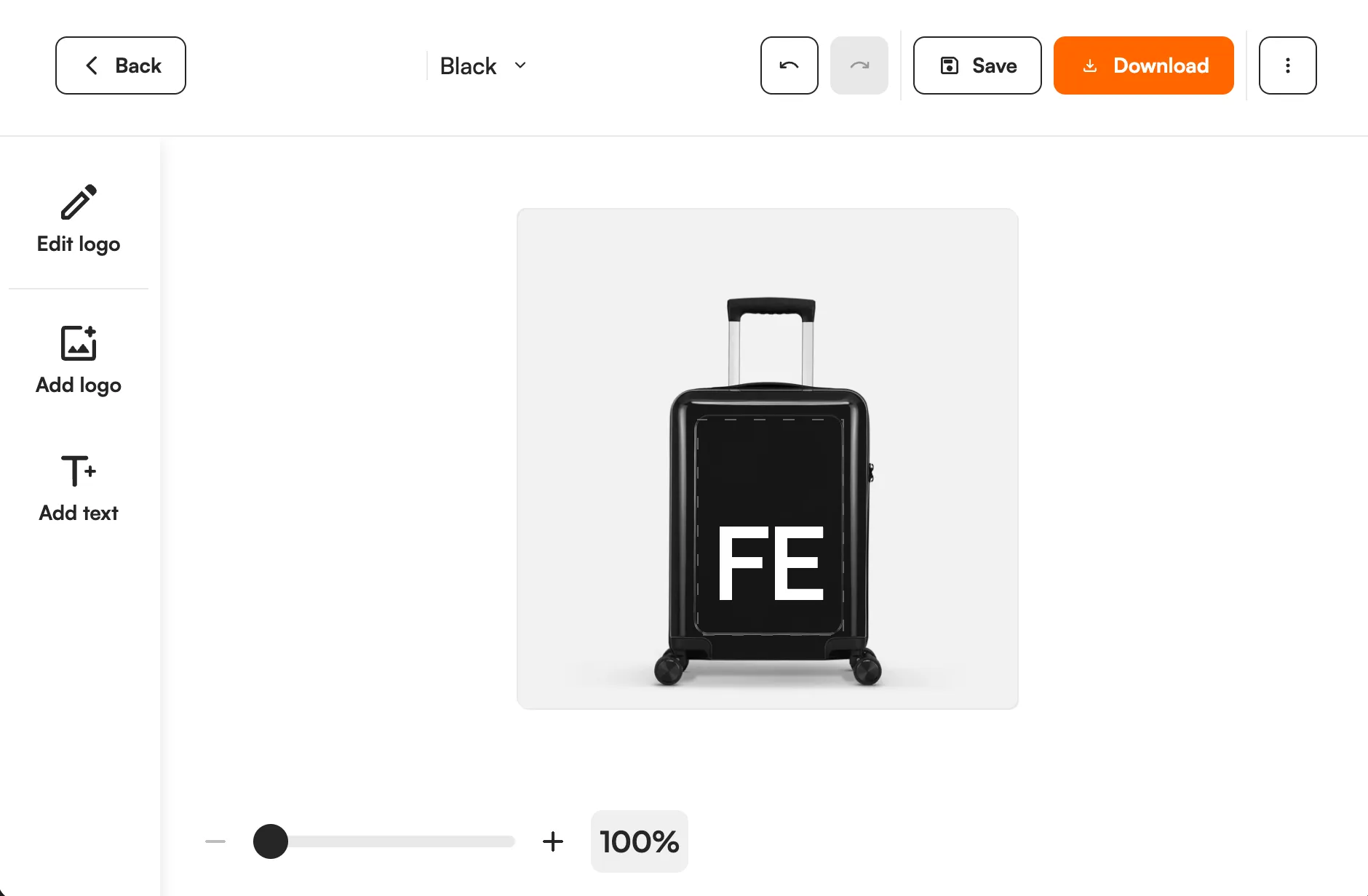
Stickercase product with a customer logo in the FastEditor editor
3
Products
Netherlands
Headquarters
Monthly
Catalogue sync
Manual import
Integration
Onboarded
Status

In short

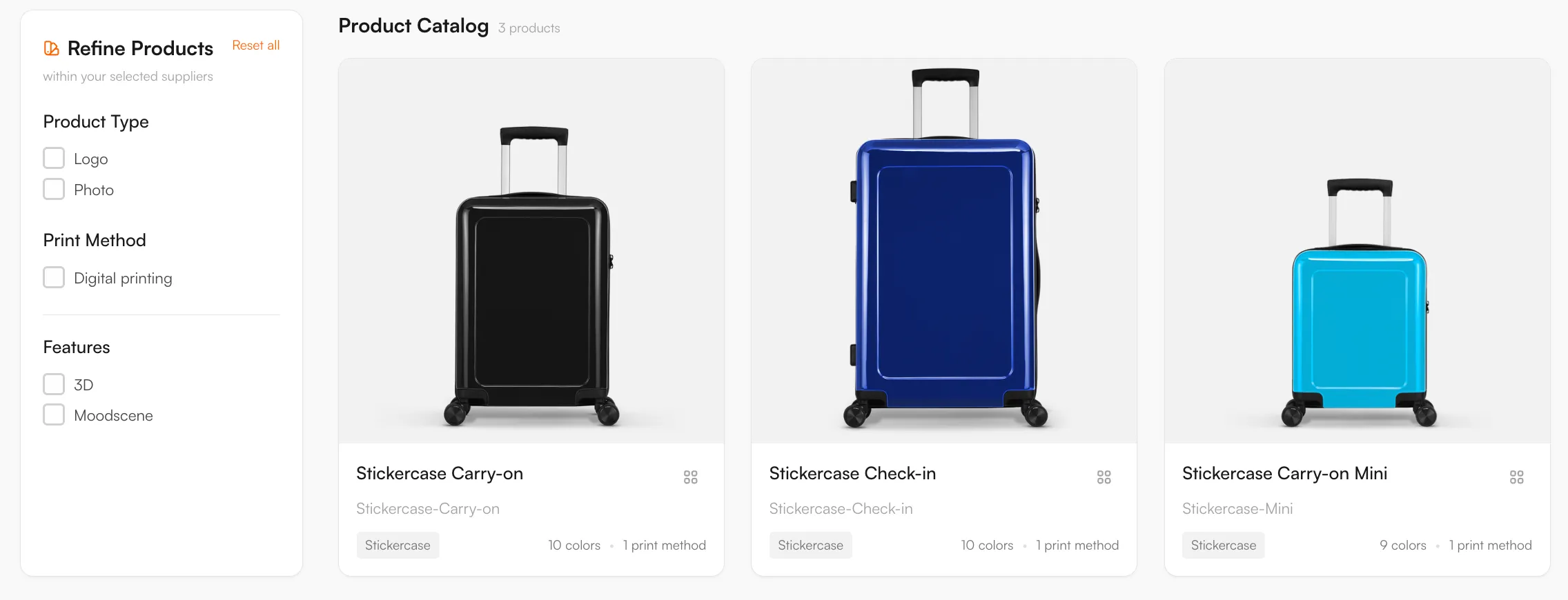
3 Stickercase travel cases are available in the FastEditor Product Hub: the Carry-on, the Carry-on Mini and the Check-in, with print areas mapped for digital printing. Customers add their design online, and you get a proof and a print-ready file per order.

Overview

Stickercase supplies travel cases that can be personalised: the Carry-on, the Carry-on Mini and the Check-in. A case is a large, visible surface, so the artwork needs enough resolution for the print size and has to sit inside the print area of the chosen model.

FastEditor lets your team or your customer place a design on a supported Stickercase model, review it in a proof, and confirm the output before production.

How the integration works

Choose one of the three connected Stickercase models and check the print area and print requirements for that model. Prepare the design in the enabled editor workflow and review the production output before submitting it to your production partner. The mapped decoration method is digital printing.

Browse Stickercase products in Product Hub

Every product, with print positions and decoration methods attached, ready to drop into your webshop.

Stickercase catalogue in the FastEditor Product Hub

Decoration methods

Digital printing

Product categories

Artwork requirements

Artwork for a travel case is printed large, so the file is checked against the print area and the final size before output.

  • Print area. The design is held inside the print area of the selected model.
  • Placement and size. The design is sized to the selected case, so it previews as it will be printed.
  • Colour handling. Colours are set for digital printing.
  • Resolution. Resolution is checked at final size so raster detail stays sharp when printed.
  • Proof preview. The artwork is shown in a proof before the order is confirmed.

What the print proof looks like

How to start selling

  1. Choose a supported Stickercase model: Carry-on, Carry-on Mini or Check-in.
  2. Use Studio Tool for an internal proof, or connect the Logo Editor to your storefront.
  3. Map the Stickercase product and variant to the correct FastEditor configuration.
  4. Test an upload, preview, approval and exported file on a real job.
  5. Confirm how the file is submitted to production before launch.

Software access and production-file charges depend on your plan. View pricing or discuss your Stickercase setup.

Book a demoTry Studio free

Logo Editor or Studio Tool?

Two tools, one artwork engine.

Studio Tool

For internal sales & account management teams

✓Browse the Product Hub and pick the product
✓Design it across positions, then download the branded print proof
✓Get production-ready files, no customer order needed
Explore Studio Tool →

Logo Editor

For your webshop

✓Connect to your webshop, linked to the right product by SKU
✓Your customer designs and approves online
✓After the order, you receive the production-ready files
Explore Logo Editor →

Frequently asked questions

Which Stickercase products can be personalised?

Three models are connected in the Product Hub: the Carry-on, the Carry-on Mini and the Check-in. Each model has its own print area, and the mapped decoration method is digital printing.

Can I create a Stickercase proof without receiving an online order?

Yes. For supported products, your team can work in Studio Tool to prepare the design and create a proof without waiting for a customer to place a webshop order. Check the print area of the selected model before preparing the job.

Does FastEditor also place the order with Stickercase?

Artwork generation and supplier order submission are separate capabilities. The delivery route depends on your storefront and the connection enabled for your account, so confirm whether your workflow uses file downloads, API retrieval or supplier dispatch before launch.

What does the FastEditor workflow cost?

FastEditor software pricing depends on your tool, plan and production-file usage. Stickercase products are purchased through your normal supplier relationship. See the current pricing page for the applicable plan and file charges.