Connected supplierHalfar is a German bag and luggage manufacturer producing premium promotional and corporate bags for the European B2B market. Headquartered in Bielefeld.

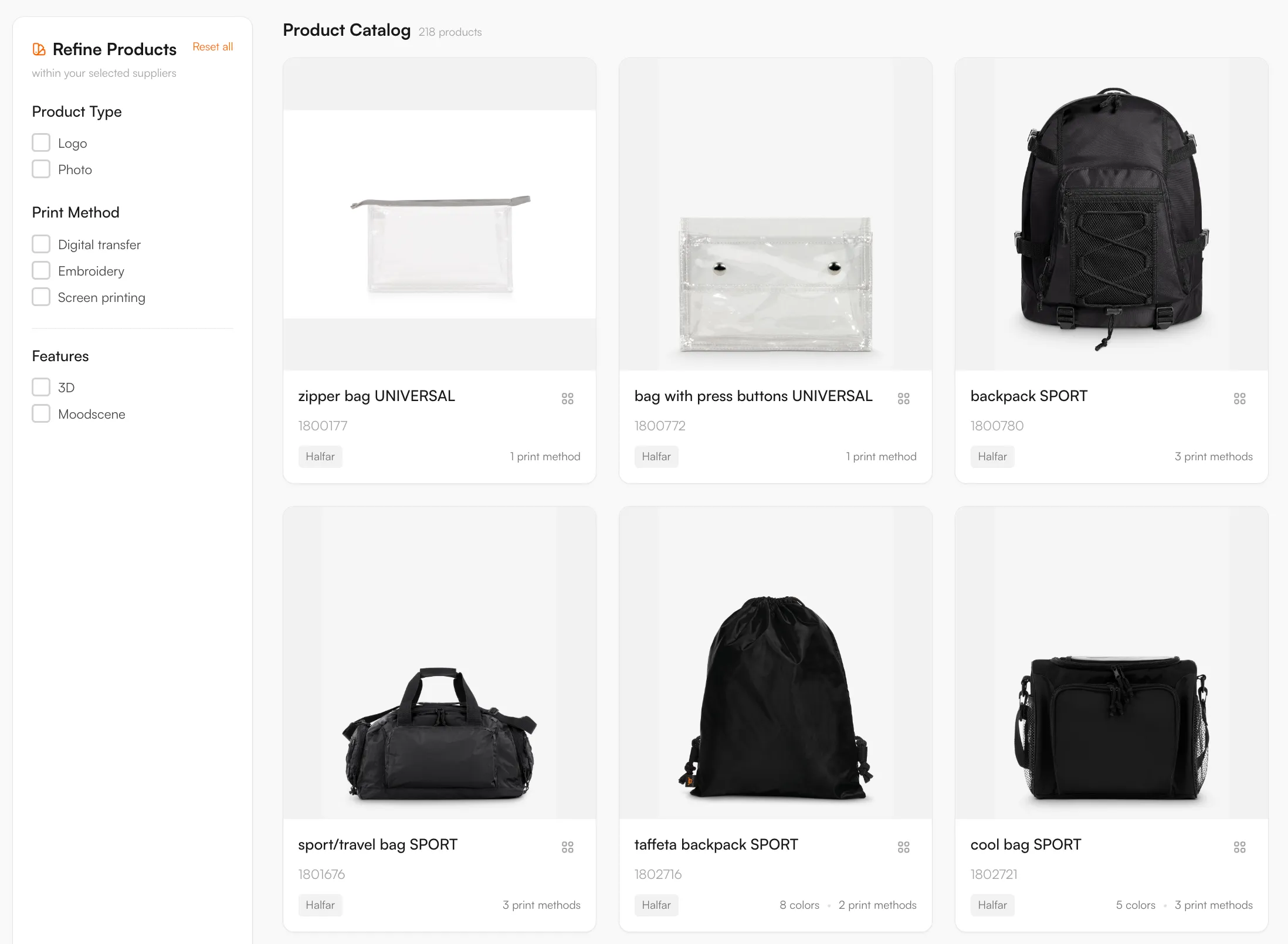
218 Halfar bags and backpacks are in the FastEditor Product Hub with their print positions and three decoration methods: embroidery, transfer printing and screen printing. Customers place a logo on the real panel or pocket, and you get a proof and the prepared artwork per order.
Halfar System is a German manufacturer of bags, backpacks and luggage, based in Bielefeld, producing promotional and corporate bags for the European B2B market. Bags are a decoration category of their own: a print area that wraps a curved or padded surface, a choice between embroidery, transfer and screen printing, and a logo that has to sit correctly on a front pocket or panel. For a reseller, getting that placement and method right on every bag is exactly the work FastEditor removes.
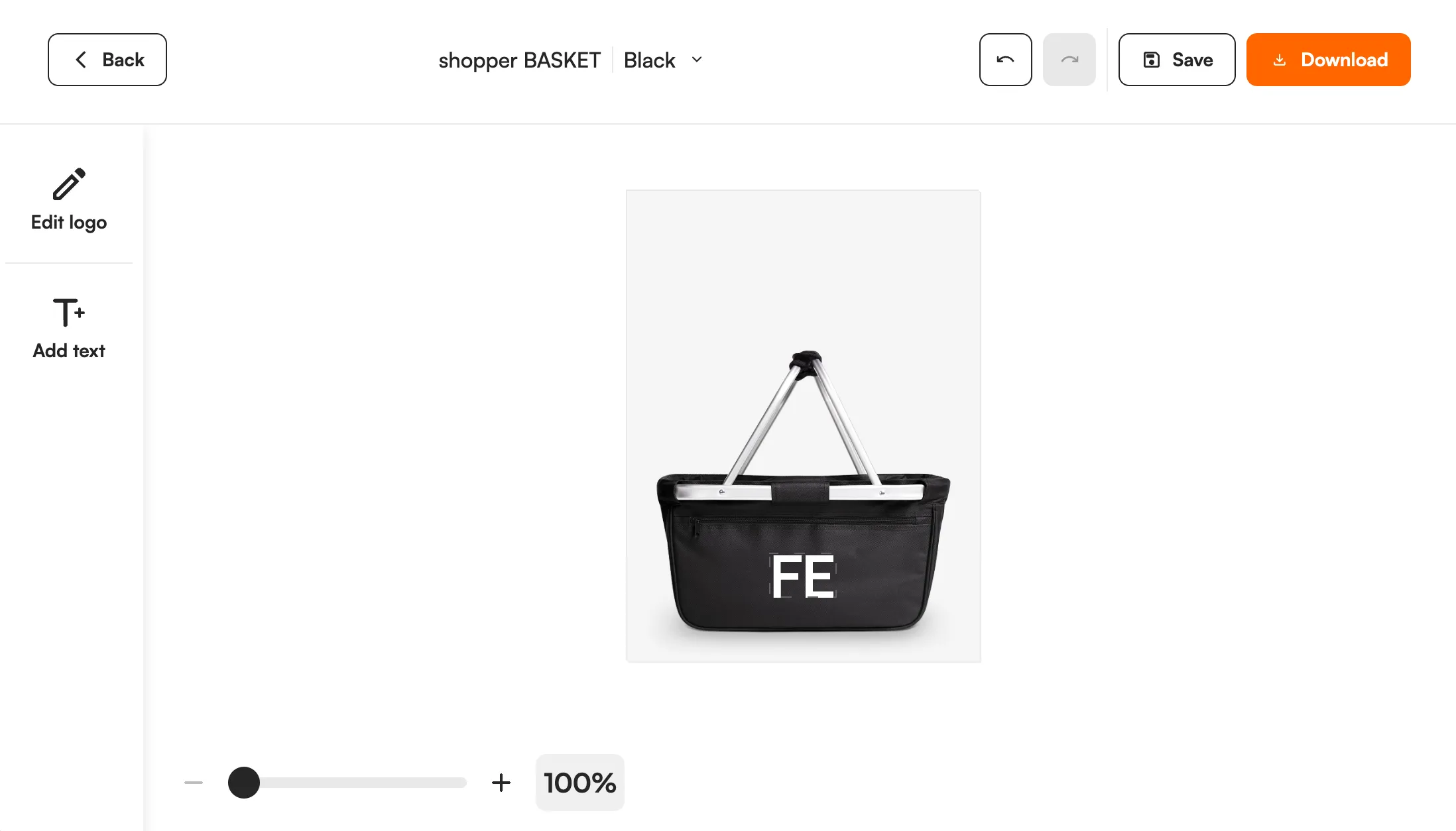
FastEditor connects to the Halfar catalogue, with decoration positions and methods attached to each bag. A customer chooses a bag, uploads a logo, and the editor places it inside the real print area for that product and decoration method, ready for a production-ready file.
The Halfar connection brings product data and decoration specifications in directly, so each bag carries the print positions and methods the editor needs to constrain and validate a design.
Three things travel with every bag:
Every product, with print positions and decoration methods attached, ready to drop into your webshop.

Bag decoration has its own constraints, and FastEditor validates a logo against the rules for the chosen product and method before a production file is generated. The checks that run on each upload:
218 Halfar products are in the Product Hub. Halfar is a bag specialist from Bielefeld, Germany, so the range is bags only: backpacks, zipper bags, conference folders and luggage. Examples are the zipper bag UNIVERSAL, the backpack SPORT and the conference folder. The catalogue updates daily.
Three methods are mapped: embroidery, transfer printing and screen printing. These are also the methods that Halfar's own website lists as configurable online, with other techniques on request. On a bag, the position matters as much as the method: a front pocket, a flap or a side panel each has its own size. The editor holds the logo inside the position the customer picks. Screen printing uses spot colours, so the number of colours in the logo counts. For embroidery, FastEditor prepares and checks the artwork today. Embroidery file (DST) output is in testing and not yet available.
According to Halfar's website (read in November 2026), decoration starts from 50 pieces, artwork should be supplied as vector files (EPS, PDF or AI), and embroidery is not suitable for waterproof bags. FastEditor vectorizes raster logos when the chosen method needs vector output, so a customer can start from a JPG or PNG.
Use the Logo Editor on your webshop in Shopify, WooCommerce or through the API, or the Studio Tool for quotes. Each order gives you a proof and the prepared artwork for the selected position and method.
These are Halfar's own statements about its decoration service, read on its website in November 2026. They are not FastEditor limits. The checks the FastEditor editor runs are listed under artwork requirements on this page.
Source: Halfar, decoration techniques. Halfar can change these figures, so check with the supplier before you quote them.
Logo Editor or Studio Tool?
For internal sales & account management teams
For your webshop
Yes. Halfar bags are live in the FastEditor Product Hub, with decoration positions and methods attached, so a customer's logo is placed and validated automatically.
Embroidery, transfer and screen printing, matched to each bag. Each method carries its own rules, from decoration area in square centimetres for transfer and embroidery to number of colours for screen printing.
The customer uploads a logo, which is placed inside the real print area for the chosen bag and method, previewed on the product, and validated against the method rules before a production-ready file is generated.
Yes. FastEditor generates the production file and branded proof matched to the bag and decoration method, checked against the method rules. In Studio Tool you generate it with Download; in Logo Editor the webshop's Sale Notification triggers it after the order. Raster artwork is vectorized when the selected decoration technique requires vector output.