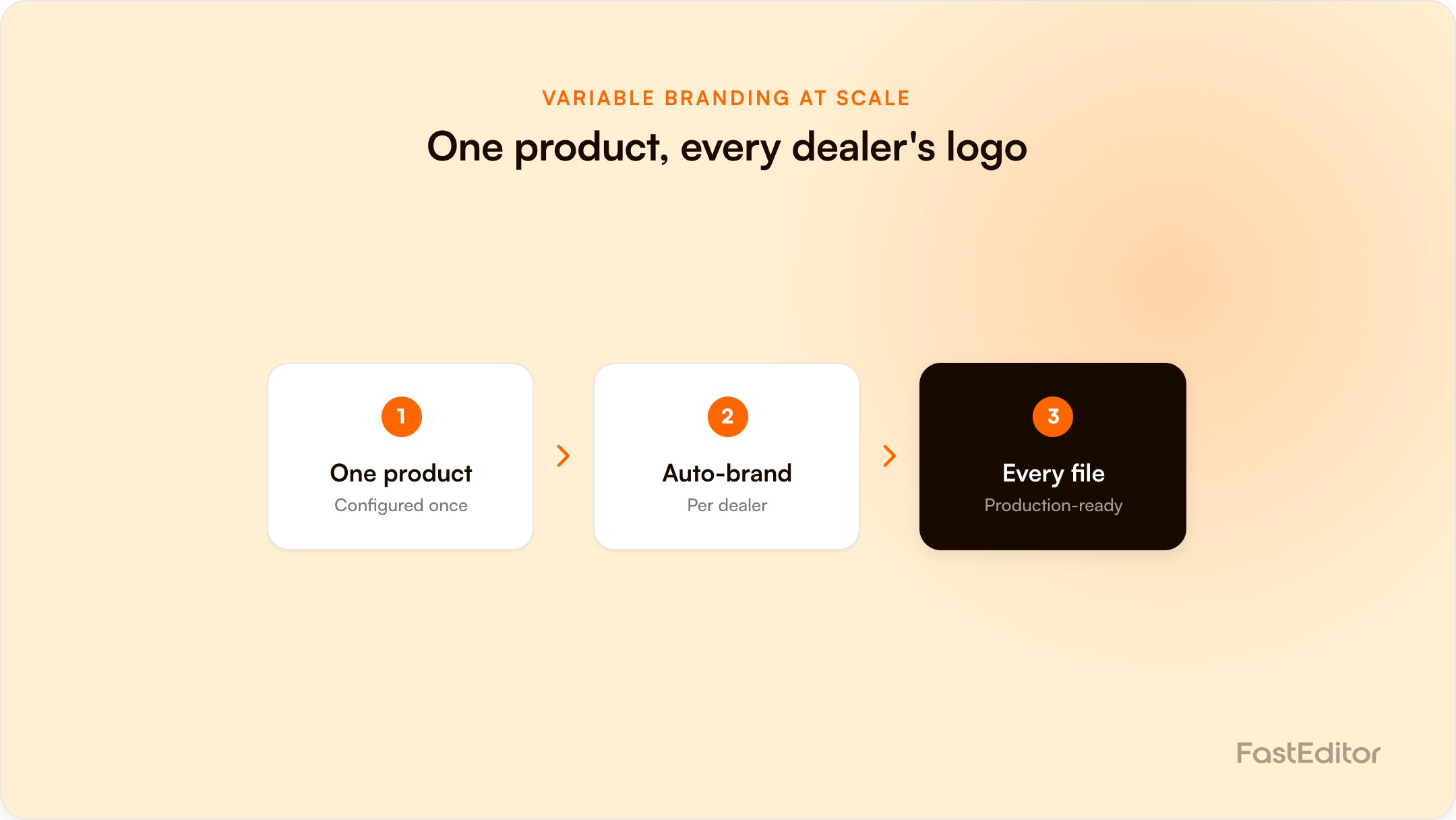
Variable data printing usually means adding a name to a postcard. The bigger opportunity is B2B: one product configured once, then branded with a different dealer, reseller, or partner logo on every order. Done right, each variation outputs a production-ready file and proof automatically, with no extra artwork work.
The shift: variable data printing is not just a name on a postcard. The B2B version is one product, many logos: the same item branded for every dealer, reseller, or partner, with each variation coming out as a production-ready file and proof, automatically.
On this page
A distributor runs a branded-merchandise programme for 200 car dealers. Every dealer wants the same softshell jacket, but each with their own logo on the chest. Handled manually, that is not one product, it is 200 artwork jobs: 200 logos to clean and place, 200 proofs to send, and 200 chances to push the wrong file into production. Most teams cap the programme or quietly lose money on it. FastEditor exists to remove that ceiling: configure the product once, then brand it for every partner automatically. This is variable branding at scale, and it is one of the most underused opportunities in promotional products.
Variable data printing (VDP) is a method that uses software and automation to change design elements, names, images, colours, and logos, across individual pieces in a single production run, without editing each one by hand. As DesignHuddle describes it, VDP combines the efficiency of mass production with the effectiveness of individual personalisation. In consumer printing it usually shows up as a first name on a postcard or a number on a football shirt. That framing undersells it. The same principle applies to logos: if the artwork pipeline can swap one element per order and still output a correct file, you can produce a different brand on every unit at production speed.
Most product-personalisation tools stop at names-and-numbers features built for consumers. The B2B opportunity is larger and stickier, because it is not a one-off gift. It is a recurring programme: a dealer network, a franchise, a reseller channel, or a corporate gifting catalogue that reorders all year.
The B2B opportunity is larger and stickier than the consumer version, because these are recurring programmes rather than one-off gifts.
| Programme | What changes per order | Why it recurs |
|---|---|---|
| Dealer and distributor networks | The dealer logo, under a shared parent brand | Dealers reorder stock through the year |
| Franchises | The location branding on a standard range | New locations and seasonal refreshes |
| Reseller and channel programmes | A partner logo, often co-branded with yours | Ongoing channel marketing |
| Clubs, teams, and events | The team or sponsor logo | Every season or event |
| Corporate gifting and company stores | The client company logo | Year-round employee and client gifting |
Many of these programmes run as a company store or brand portal: a private storefront where employees, franchisees, or partners order from an approved range. The draw for the brand owner is control. As promotional distributor Taylor notes, a company store stays on-brand because customisation options are limited to pre-set parameters: approved products, approved positions, approved colours. Variable branding is what makes that work at scale, because the only thing that changes per order is the partner logo, dropped into a configuration that already enforces the rules.
Done by hand, every logo is a separate artwork task: cleaning a low-resolution file, vectorising it, matching colours, placing it inside the real print area, generating a proof, and exporting a production file. Multiply that by every partner and every reorder. The work scales linearly with the number of partners, the error rate climbs as volume grows, and the margin quietly drains into artwork handling. It is the same reason a low-quality customer logo is so expensive: the cost is in the manual handling, and variable branding multiplies that cost by every brand in the programme. It is also why teams only manage to scale promo without hiring designers once the artwork step is automated.
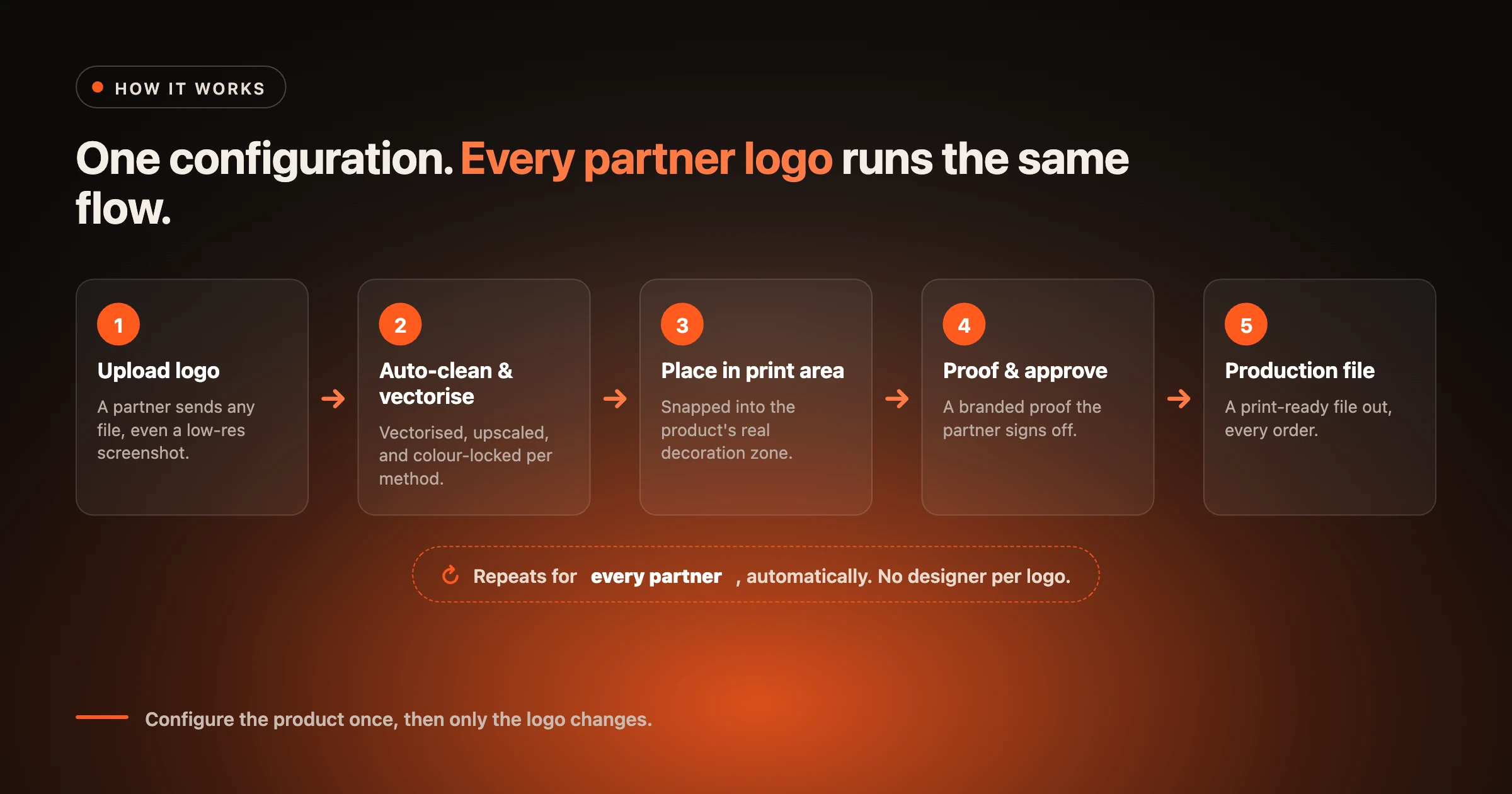
The fix is to separate the product from the brand on it. You configure the product once: its decoration areas, print methods, imprint limits, and colour rules. After that, each order changes only one variable, the logo, and the system does the repetitive work. Automated vectorization cleans and converts the uploaded logo, colours are locked per method as covered in PMS colour matching for promo, the artwork is placed inside the real print area, and a print proof plus a production-ready file come out the other side. No designer touches each variation.
This whole pipeline, from upload to production file, is what we mean by artwork automation.
| Manual, per partner | Variable branding at scale | |
|---|---|---|
| Artwork prep | A separate job for every logo | Automated vectorization and placement per order |
| Proofing | Built and sent by hand each time | Generated automatically with the order |
| Reorders | Repeat the work, or hunt for old files | Reorder against the saved configuration |
| Error risk | Rises with every partner added | Rules enforced once, applied to all |
| Margin | Erodes as the programme grows | Holds, because handling is automated |
Variable branding is only as good as the data behind it. Because the same product configuration flows to every order and every channel, the print data and SKU matching have to be right once, not fixed per order. Clean, vectorised logos, locked colours, correct imprint dimensions, and accurate SKU matching are what let one configuration serve hundreds of brandings safely. Get the configuration right and every variation inherits it. Get it wrong and the mistake is multiplied across the whole programme: garbage in becomes garbage out at scale.
Configure a product once as an editor configuration in the Product Hub and it becomes available across the whole FastEditor network: the Studio Tool, your own webshop, and connected suppliers and distributors. The same engine that powers a single personalised order powers a 200-dealer programme. For an e-commerce reseller, that means launching a co-branded product catalogue without adding a single designer to the team.
If a branding programme is capped by how much artwork your team can process by hand, variable branding is how you lift the cap. Try the Studio Tool and brand one product for a list of partners to see the model in action.
Variable data printing (VDP) is a method that uses software and automation to change elements such as names, images, colours, and logos across individual pieces in a single production run, without editing each piece by hand. It combines mass-production speed with individual personalisation.
Names and numbers tools personalise a product for an individual consumer, usually as a one-off. Variable branding applies the same automation to logos for businesses, so one product can be branded for many dealers, resellers, or partners across a recurring programme.
Yes. When the product is configured once with its decoration areas and rules, each order only swaps the logo. The platform vectorises it, locks the colours, places it in the real print area, and generates the proof and production file without manual artwork work.
A company store, or brand portal, is a private storefront where employees, franchisees, or partners order from an approved range of branded products. It keeps purchasing on-brand by limiting choices to pre-set products, positions, and colours, while variable branding swaps in each partner logo automatically.
Yes. The product configuration sets the rules once: approved products, decoration positions, imprint sizes, and colours. Each order can only change the logo within those limits, so the programme stays on-brand no matter how many partners use it.
Yes. Every variation outputs its own production-ready file and proof from the same engine, so what each partner approves is exactly what goes into production.
The product configuration: clean and vectorised logos, colours locked per decoration method, correct imprint dimensions, and accurate SKU matching. Because the configuration flows to every order and channel, fixing it once protects every branded variation.
Variable branding is the engine; for the full operational picture, see how to run branded company stores at scale.
More articles in E-commerce & Conversion.
