Menu openen
Menu sluiten
Connected supplier

AWDis product configurator and artwork automation

AWDis is a UK promotional apparel brand offering hoodies, sweatshirts, and casualwear for the European corporate and promotional market.

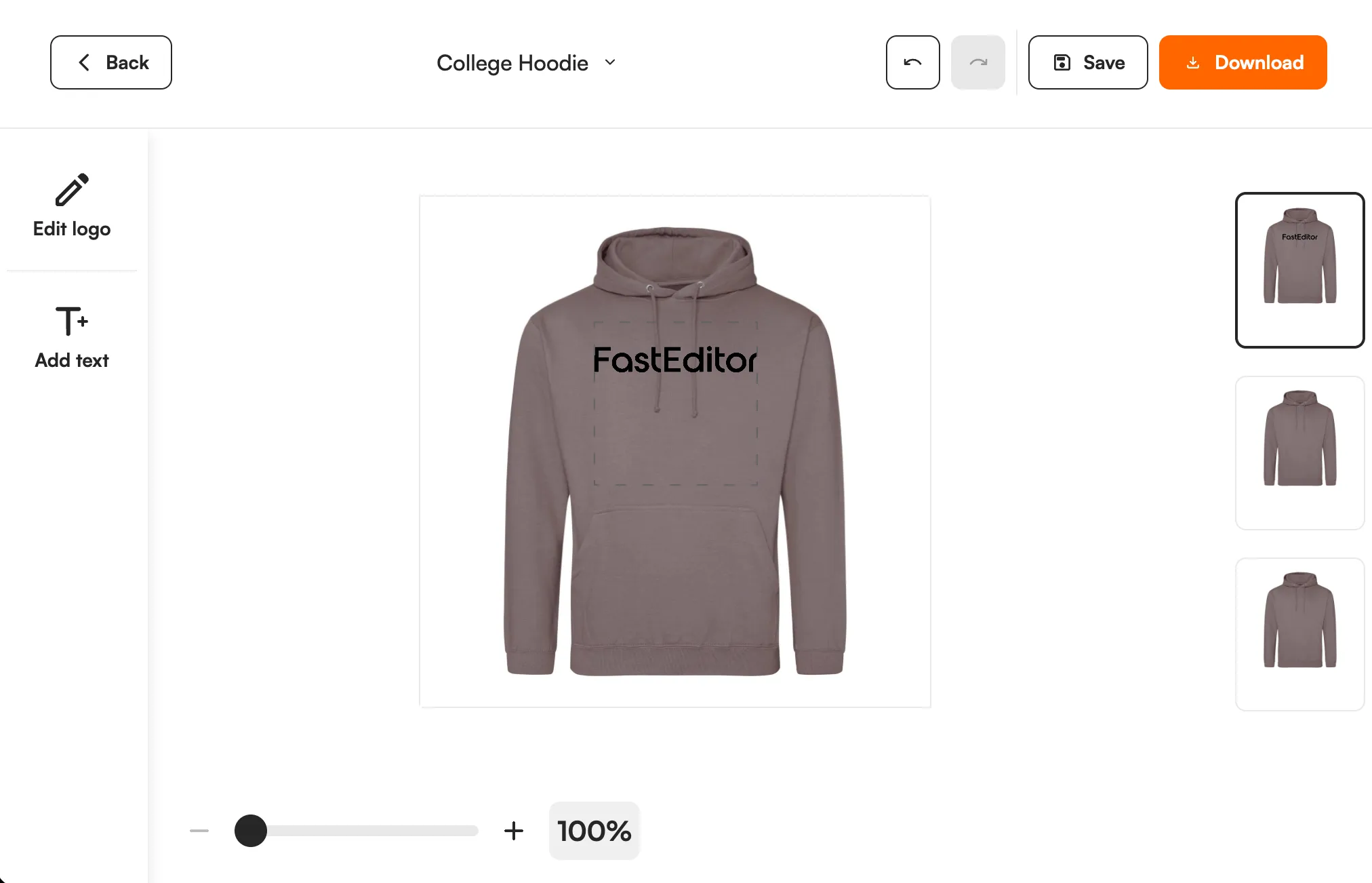
AWDis product with a customer logo in the FastEditor editor
17
Products
United Kingdom
Headquarters
Monthly
Catalogue sync
Feed integration
Integration
Onboarded
Status

In short

17 AWDis products are available in the FastEditor Product Hub, with print areas and decoration methods mapped (embroidery, screen printing, DTF transfer and more). Customers add their logo online, and you get a proof and a print-ready file per order.

Overview

AWDis supplies hoodies, sweatshirts and casualwear widely used for promotional and corporate branding. Garment construction varies across the range, so the usable decoration area on one style is not a safe guide for the next.

FastEditor lets your team prepare artwork on a supported AWDis garment, preview placement on the real product, and create a branded proof before the production artwork is requested.

How the integration works

Use a supported item in Studio Tool for the internal sales workflow, or connect customer personalization through an approved Logo Editor setup. Confirm which AWDis ranges and variants are covered and whether the job uses printing, transfer artwork or an embroidery preparation workflow. Machine stitch-file availability is a separate capability.

Browse AWDis products in Product Hub

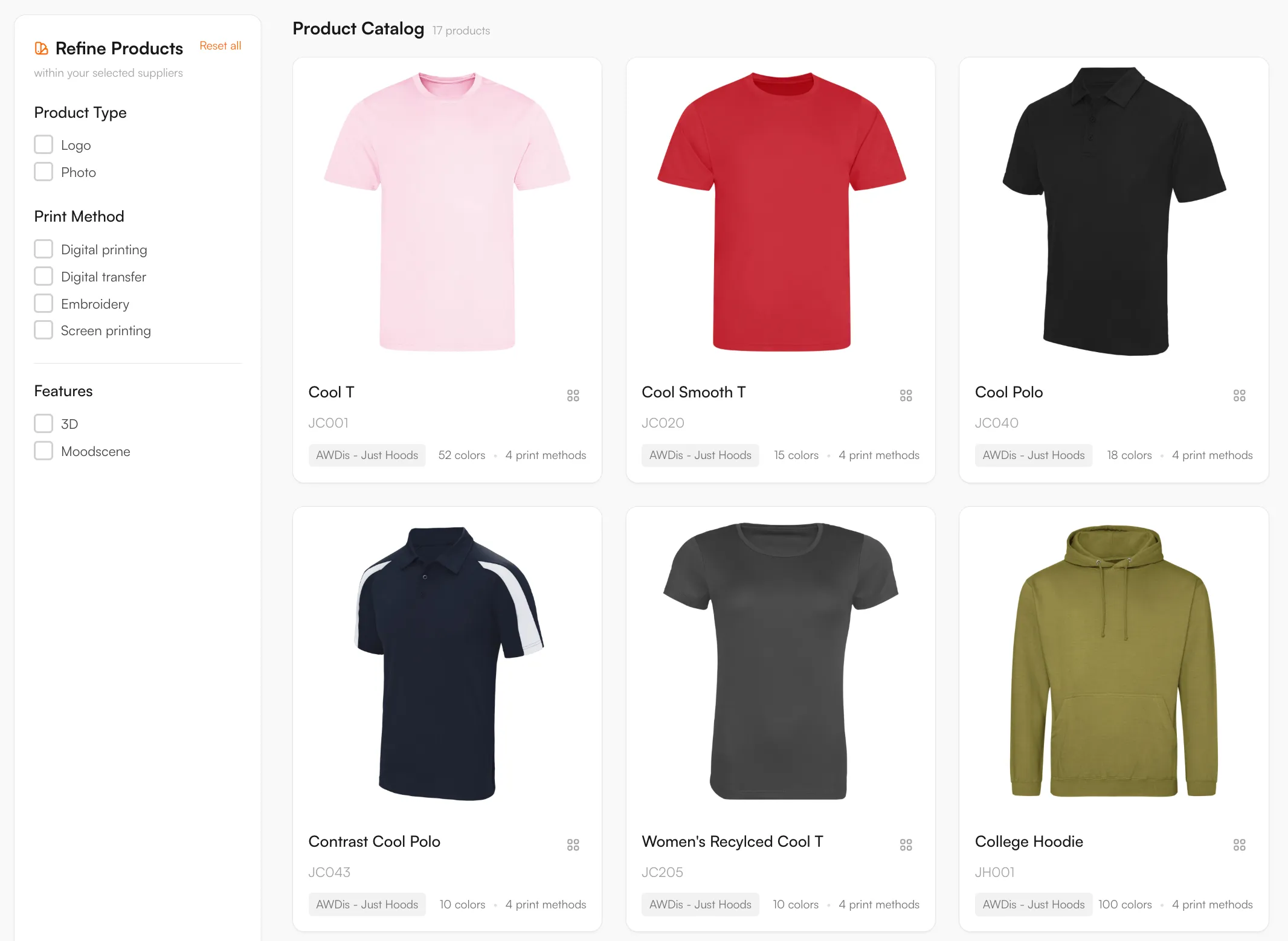
Every product, with print positions and decoration methods attached, ready to drop into your webshop.

AWDis catalogue in the FastEditor Product Hub

Decoration methods

Embroidery, Screen printing, DTF transfer, Digital printing

Product categories

Artwork requirements

AWDis garment construction varies across the range, so artwork is prepared from the selected style and its usable decoration area.

  • Vector artwork. Vector logos where possible; FastEditor vectorizes raster uploads when the selected decoration technique requires vector output, so separations and stitch paths stay clean.
  • Placement and size. Front and back placements are held clear of zips, pockets, seams and hoods for the chosen garment.
  • Colour count. Screen print and DTF are held to a defined colour count per placement.
  • Fine detail. Small text and fine lines are kept above the embroidery minimum so detail holds as stitches.
  • Proof preview. Placement is previewed on the real AWDis garment before the order is confirmed.

What the print proof looks like

How to start selling

  1. Choose a supported AWDis product and confirm its decoration options.
  2. Use Studio Tool for an internal proof, or connect the Logo Editor to your storefront.
  3. Map the AWDis product and variant to the correct FastEditor configuration.
  4. Test an upload, preview, approval and production output on a real job.
  5. Confirm how files and orders reach your merchant or supplier workflow before launch.

Software access and production-file charges depend on your plan. View pricing or discuss your AWDis setup.

Book a demoTry Studio free

Logo Editor or Studio Tool?

Two tools, one artwork engine.

Studio Tool

For internal sales & account management teams

✓Browse the Product Hub and pick the product
✓Design it across positions, then download the branded print proof
✓Get production-ready files, no customer order needed
Explore Studio Tool →

Logo Editor

For your webshop

✓Connect to your webshop, linked to the right product by SKU
✓Your customer designs and approves online
✓After the order, you receive the production-ready files
Explore Logo Editor →

Frequently asked questions

Do AWDis hoodie and sweatshirt designs use identical print areas?

Do not assume they do. Use the actual selected garment and position; pockets, zips and construction can restrict placement.

Can I create an AWDis print proof without receiving an online order?

Yes. For supported products, your team can work in Studio Tool to prepare the design and create a branded proof without waiting for a customer to place a webshop order. Check the selected product's available decoration options before preparing the job.

Does FastEditor also place the order with AWDis?

Artwork generation and supplier order submission are separate capabilities. The delivery route depends on your storefront and the connection enabled for your account, so confirm whether your workflow uses file downloads, API retrieval or supplier dispatch before launch.

Are embroidery machine files available for every AWDis product?

Embroidery artwork preparation is available; automated stitch-file (DST) generation is in testing with select partners. Confirm availability for your account, product and decorator before expecting a machine-ready stitch file.