Menu openen
Menu sluiten
Connected supplier

Blåkläder product configurator and artwork automation

Blåkläder is a Swedish workwear brand offering professional-grade trousers, jackets, and trade clothing engineered for branded decoration.

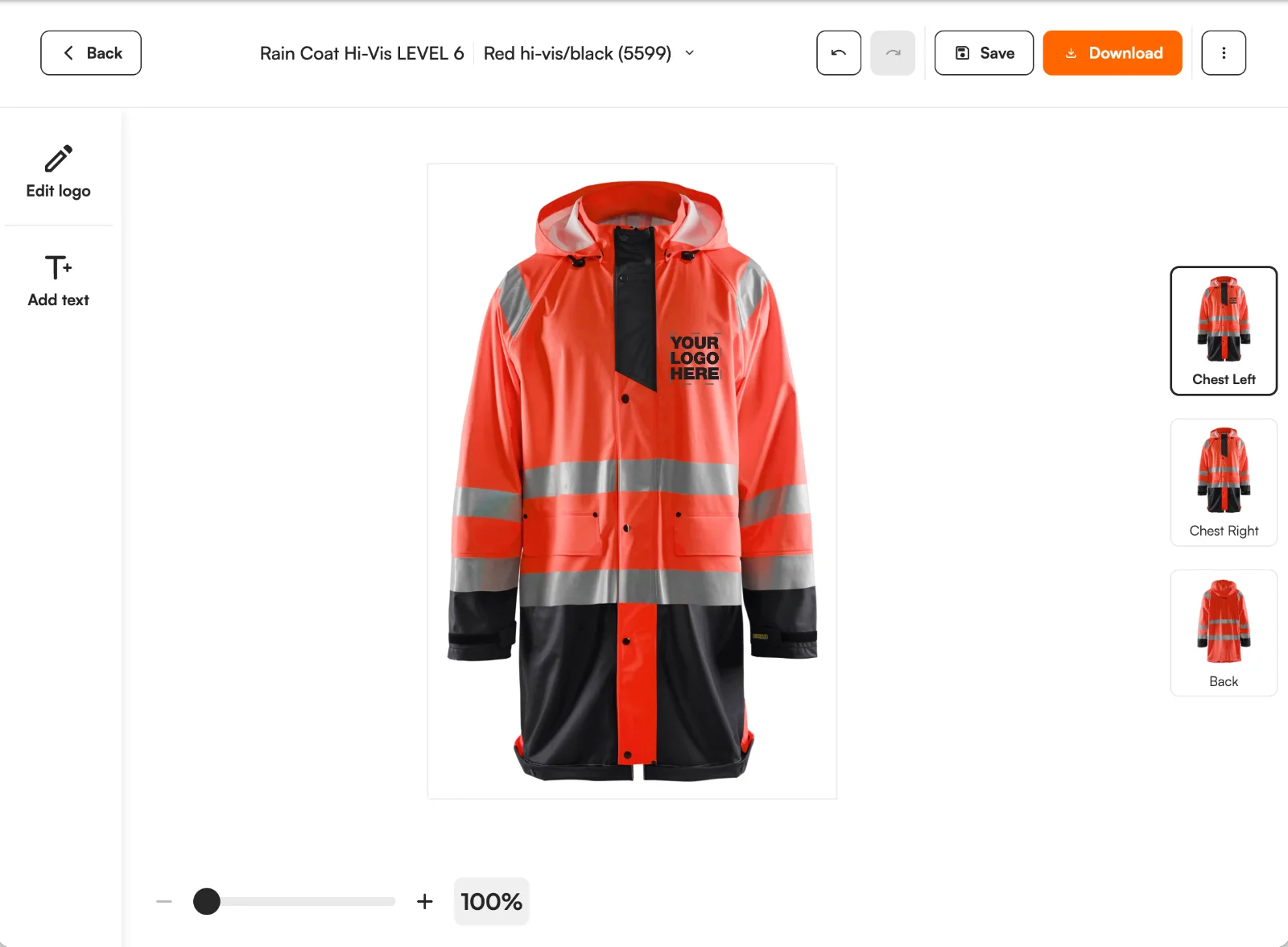
Blåkläder product with a customer logo in the FastEditor editor
407
Products
Sweden
Headquarters
Daily
Catalogue sync
Feed integration
Integration
Onboarded
Status

In short

407 Blåkläder workwear garments are in the FastEditor Product Hub with chest, back and sleeve positions and five decoration methods mapped. Customers place their logo online on the garment colour they order, and you get a proof and the prepared artwork per order.

Overview

Blåkläder is a Swedish workwear brand known for professional-grade trousers, jackets and trade clothing built for daily use on site. The garments are heavier and more technical than promotional apparel, and they are bought to be branded: a company logo on the chest, a trade name across the back, worn and washed for years. For a reseller, the challenge is getting every one of those positions placed and proofed correctly across a mixed workwear order before it goes to decoration.

FastEditor connects to the Blåkläder catalogue, with decoration positions and methods attached to each garment. A customer uploads their logo on your product page, places it on the chest, back or sleeve, and the file that reaches production is vectorized automatically when vector output is required for the selected decoration technique, checked against the rules for that garment and method, and ready to decorate. When vector output is not required, vectorization may be recommended to improve quality but is optional.

How the integration works

The Blåkläder connection keeps product data, variants, colours and decoration positions in sync, so discontinued or restocked garments come through the feed without editing a spreadsheet. How stock changes behave in your storefront depends on your webshop setup.

Three things travel with every garment:

  • Print positions. Chest, back and sleeve areas with their own size and placement, so the editor holds a design to what the garment allows.
  • Decoration methods. Embroidery, transfer or print per garment, each with its own colour and detail limits.
  • Colour and size variants. The full colour and size grid, so a logo previews on the exact colour the customer is ordering.

Browse Blåkläder products in Product Hub

Every product, with print positions and decoration methods attached, ready to drop into your webshop.

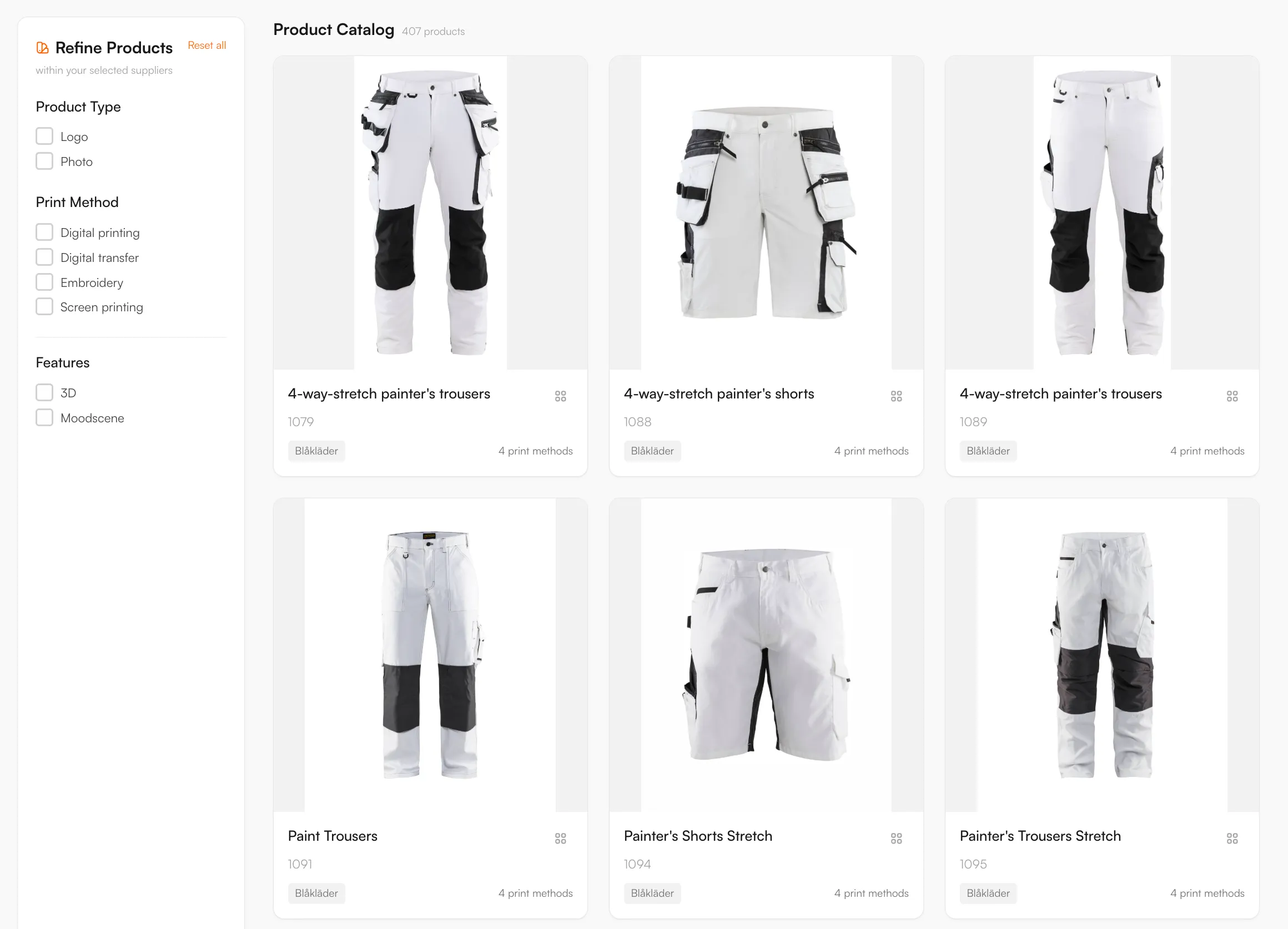
Blåkläder catalogue in the FastEditor Product Hub

Decoration methods

Embroidery, Screen printing, Transfer printing, DTF transfer, Heat transfer

Product categories

Artwork requirements

Trade workwear takes decoration hard, and FastEditor validates a design against the rules for the chosen garment and method before any production file is generated. The checks that run on each upload:

  • Line thickness. FastEditor provides an indication to help the user assess fine detail against the selected product and decoration technique’s requirements. Thin lines are not automatically corrected. Follow the supplier’s requirement for that configuration rather than a single minimum for every product.
  • Colour counts. Screen and transfer printing carry a maximum number of colours per position, caught before an over-colour logo reaches production.
  • Placement and size. The logo is held inside the real decoration area for that garment, so it is never scaled beyond what the panel allows.
  • File formats. Customers upload JPG, PNG, PDF, AI or EPS. Raster logos are vectorized when the selected decoration technique requires vector output, producing clean paths for embroidery digitising or print; when it does not, vectorization is optional.
  • Colour matching. Uploads convert to the colour space the method needs, with brand colour matching where the method supports it.

What the print proof looks like

Selling Blåkläder workwear online: what to know

What the range covers

407 Blåkläder products are in the Product Hub. The Swedish brand makes trousers, jackets and trade clothing for daily use on site. Examples are a polo shirt, a hi-vis jacket and cargo trousers. The catalogue updates daily.

Decoration methods and artwork

Five methods are mapped: embroidery, screen printing, transfer printing, DTF transfer and heat transfer. Each garment has its own positions, such as chest, back and sleeve, and each position has its own size. Embroidery is a common choice for a chest logo on workwear that is washed often. Transfers, DTF included, suit larger back prints, fine detail and full colour. On hi-vis garments, the fluorescent and reflective areas need to stay visible, so logo size and position are limited. For embroidery, FastEditor prepares and checks the artwork today. Embroidery file (DST) output is in testing and not yet available.

How resellers use it

Workwear is bought to be branded and worn for years, so a wrong placement is costly. The editor holds the logo inside the position for each garment and shows it on the colour the customer orders, so the customer approves what will be made. Use the Logo Editor on your webshop in Shopify, WooCommerce or through the API, or the Studio Tool for quotes. Each order gives you a proof and the prepared artwork for the selected position and method.

Browse Blåkläder products in the Product Hub

How to start selling

  1. Start with the Blåkläder catalogue. The workwear range is available in the FastEditor Product Hub with print positions and methods already attached to each garment.
  2. Choose how customers experience it. Embed the Logo Editor on your webshop, or work in the Studio Tool for internal quotes and sampling.
  3. Place, preview and validate in one place. The logo sits inside the real decoration area, previews on the ordered garment colour, and is checked against the embroidery and print rules before approval.
  4. Generate the proof and production file. In Studio Tool, use Download to generate the files for the selected product and decoration technique. In Logo Editor, the webshop sends a Sale Notification after the customer places the order to trigger file generation. The proof and production file follow the selected supplier configuration.
Book a demoTry Studio free

Logo Editor or Studio Tool?

Two tools, one artwork engine.

Studio Tool

For internal sales & account management teams

✓Browse the Product Hub and pick the product
✓Design it across positions, then download the branded print proof
✓Get production-ready files, no customer order needed
Explore Studio Tool →

Logo Editor

For your webshop

✓Connect to your webshop, linked to the right product by SKU
✓Your customer designs and approves online
✓After the order, you receive the production-ready files
Explore Logo Editor →

Frequently asked questions

How many Blåkläder products are available through FastEditor?

The Blåkläder workwear catalogue is available through the FastEditor Product Hub, with print positions and decoration methods attached to each garment. The range syncs so availability and specifications stay current.

Which decoration methods does FastEditor support for Blåkläder?

Embroidery, screen printing and transfer methods including DTF, matched to each garment. Each position carries the colour and detail limits that method allows, so a design is validated before it reaches production.

Can customers decorate more than one position on a Blåkläder garment?

Yes. Chest, back and sleeve positions are supported where the garment allows, and each is placed inside its real decoration area and proofed independently.

Does a Blåkläder order produce a production-ready file automatically?

File generation is triggered by the configured route rather than produced on its own. In Studio Tool, use Download to generate the files for the selected product and decoration technique. In Logo Editor, the webshop sends a Sale Notification after the customer places the order to trigger file generation. The proof and production file follow the selected supplier configuration, and where the decoration technique requires vector output the logo is vectorized.